A new Inspect panel for Data Apps
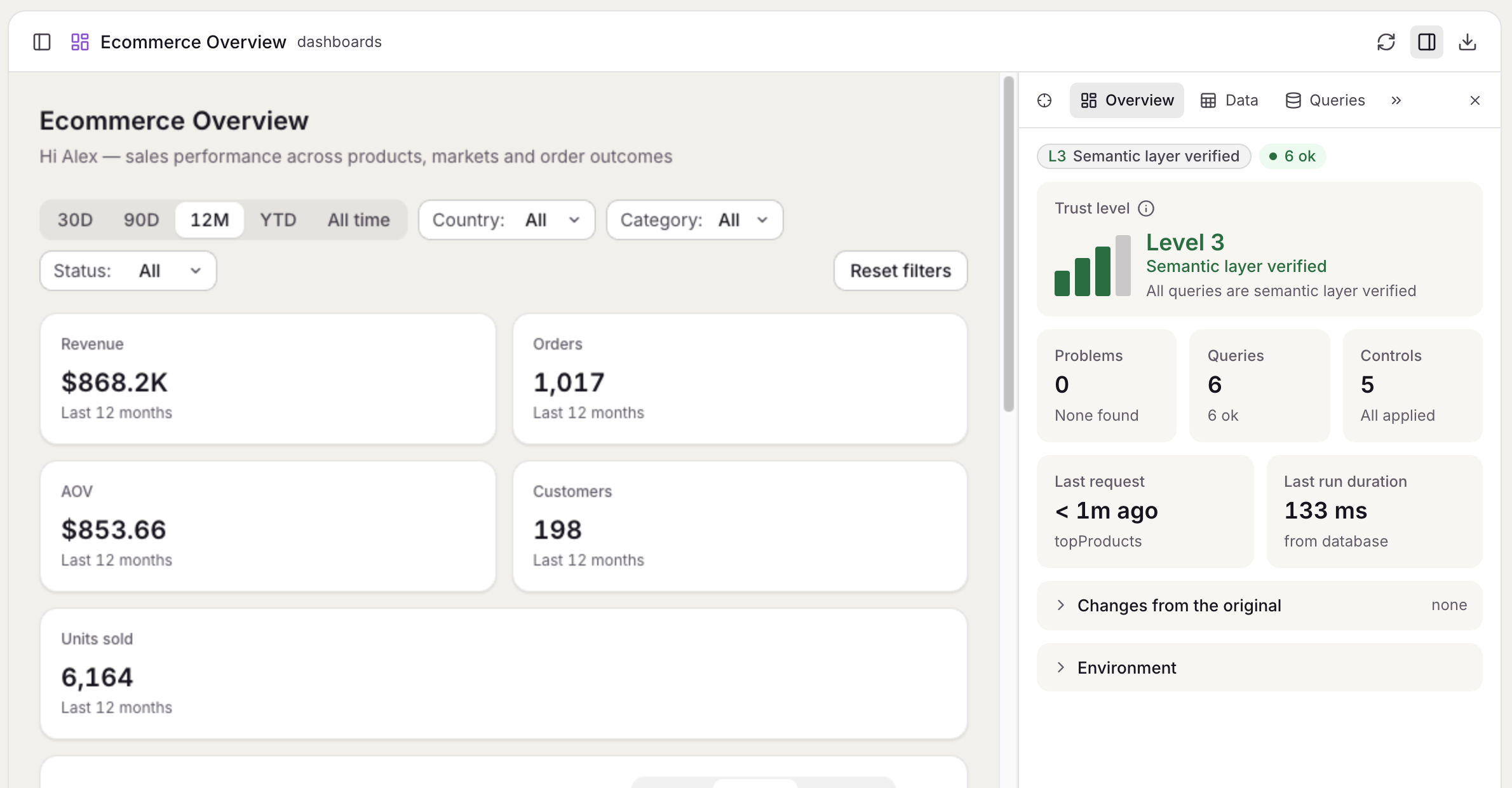
Inspect opens on an overview of the app's health, and its tabs show every query and request, each query's latest rows, the app's declaration and its structure.
Open it from the app's header in anfra serve, or with Alt+Shift+I. It has six tabs:
- Overview, where it opens: how far to trust each app, the queries' states, the problems, and what the reader changed
- Queries: every query, control and selection, with its filters, its code and the requests it made
- Data: each query's latest rows, with a CSV download
- Declaration: what the app declares, its checks, and how its controls and queries are wired, with the AQL highlighted
- Lineage: where each number comes from, traced back to its source tables
- Structure: the parts you marked as a tree
The tabs link to each other, so a problem in Overview opens the query it names. Tabs that don't fit go behind a More tabs menu.
For hosts
The SDK's inspect.watch, inspect.highlight, inspect.locate and inspect.pick calls, and the inspect.snapshot and inspect.picked events, are gone. Use mounted.panel instead.