Data app library · Updating
Data Apps: What It Is, How To Build One, and 32 Examples
A data app is a small application built around one team's job, on top of your company's data, with the screens, interactions and decisions that job needs
What Is A Data App?
A data app is an interactive application built on a company's data for one job, such as planning headcount, approving costs or finding at-risk customers. Unlike a dashboard, it can hold workflows, what-if inputs and actions, not only charts. In a governed data app, every number comes from shared, reviewed metric definitions.
Data App vs Dashboard vs Notebook vs Internal Tool
| Compared on | Dashboard | Notebook | Internal Tool (Retool-style) | Data App |
|---|---|---|---|---|
| Built for | Watching a set of metrics | One analyst exploring a question | Running a process on app data | One team's job, end to end |
| Who uses it | Many viewers | The analyst and a few readers | Operators who edit records | The team the job belongs to |
| Interaction | Filters and drill-down | Rerun cells, change the code | Forms, tables, buttons | Anything: what-ifs, maps, approvals, games |
| Where numbers come from | The BI tool's model | SQL written in the notebook | Queries written per screen | Shared metric definitions |
| Layout | A grid of charts | Code, output, prose | Components on a canvas | Whatever the job needs |
| Typical example | Weekly sales overview | Churn model exploration | Refund approval queue | Headcount and hiring planner |
The Data App Library
32 apps built by coding agents with anfra. Open one to see its demo, who it's for and what it does.
Apps For Business Teams16
Planning, tracking and what-if apps for operations, finance, sales and HR
E-commerce · Funnel / conversion analysis
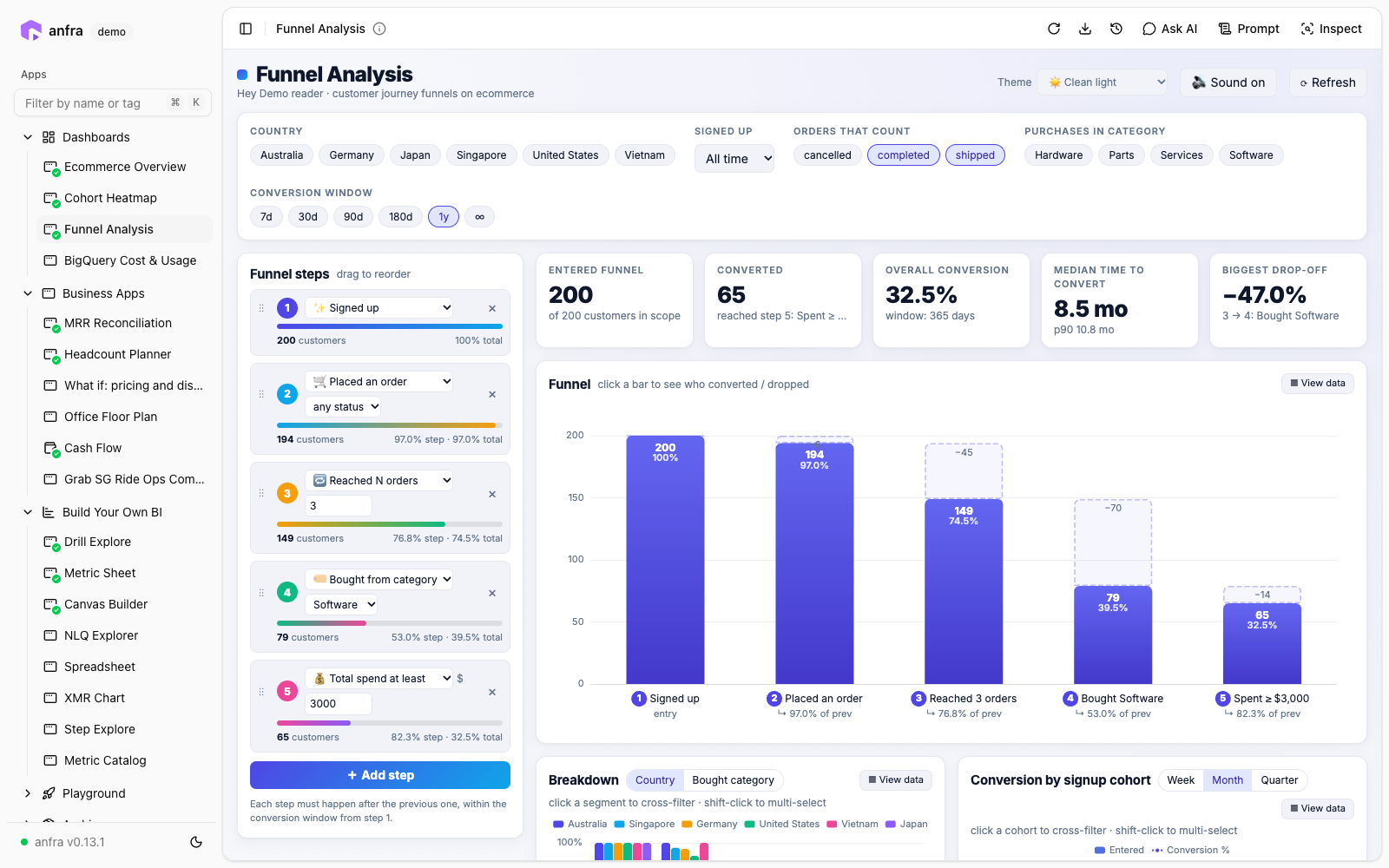
Customer Conversion Funnel Builder
Build a customer-journey funnel by picking and dragging steps (signed up, placed an order, reached N orders, bought from a category, spent at least $X), then set the conversion window and filter by country, signup period, order status and category
For Growth, product and e-commerce teams who want to see where customers drop off
Live demo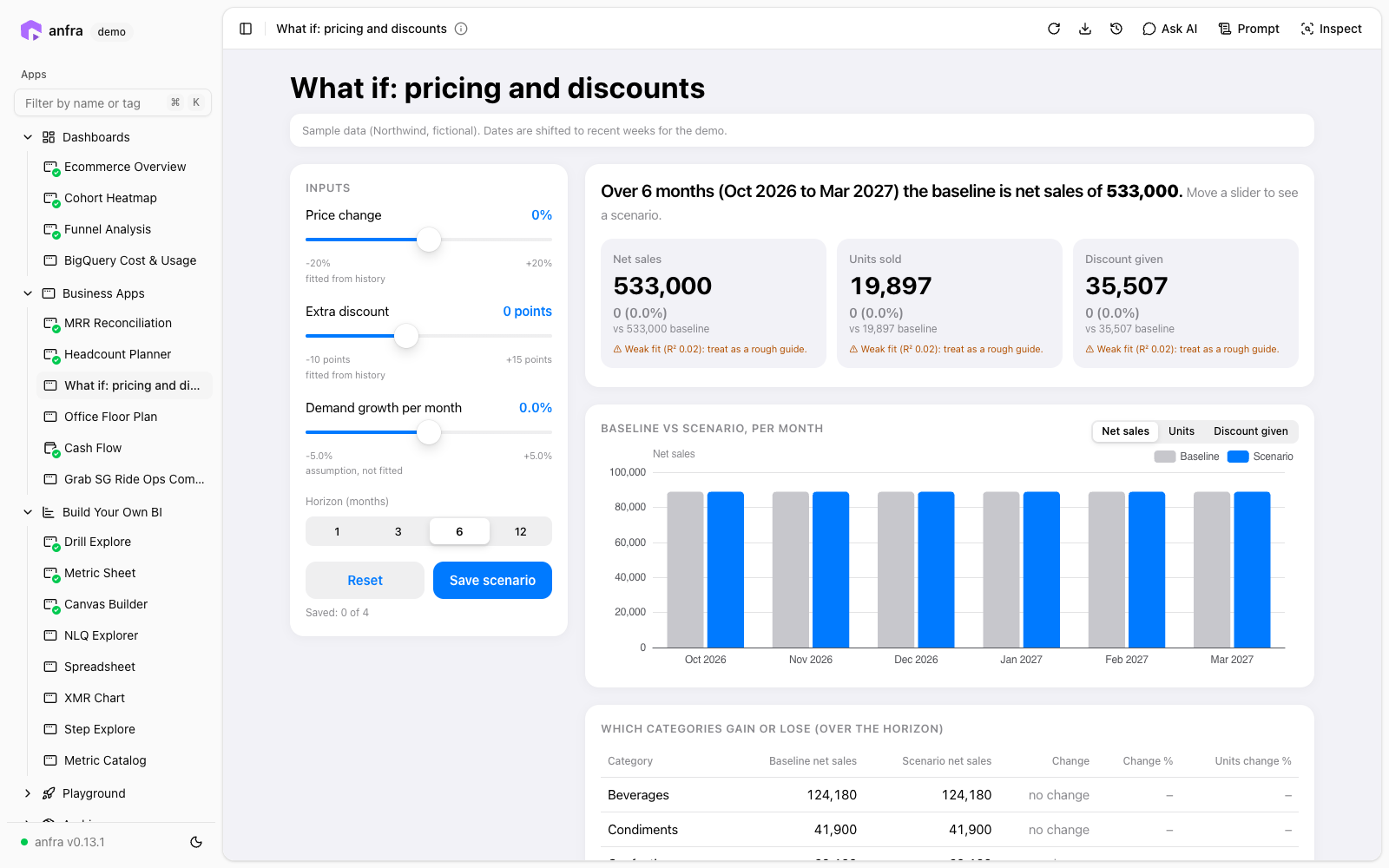
Retail / distribution · What-if scenario planner
Pricing & Discount What-If Simulator
Drag sliders for price change, extra discount and monthly demand growth, pick a 1–12 month horizon, and see projected net sales, units and discount cost against the baseline, by month and by category
For Pricing, revenue and finance teams testing price and discount changes before making them
Live demo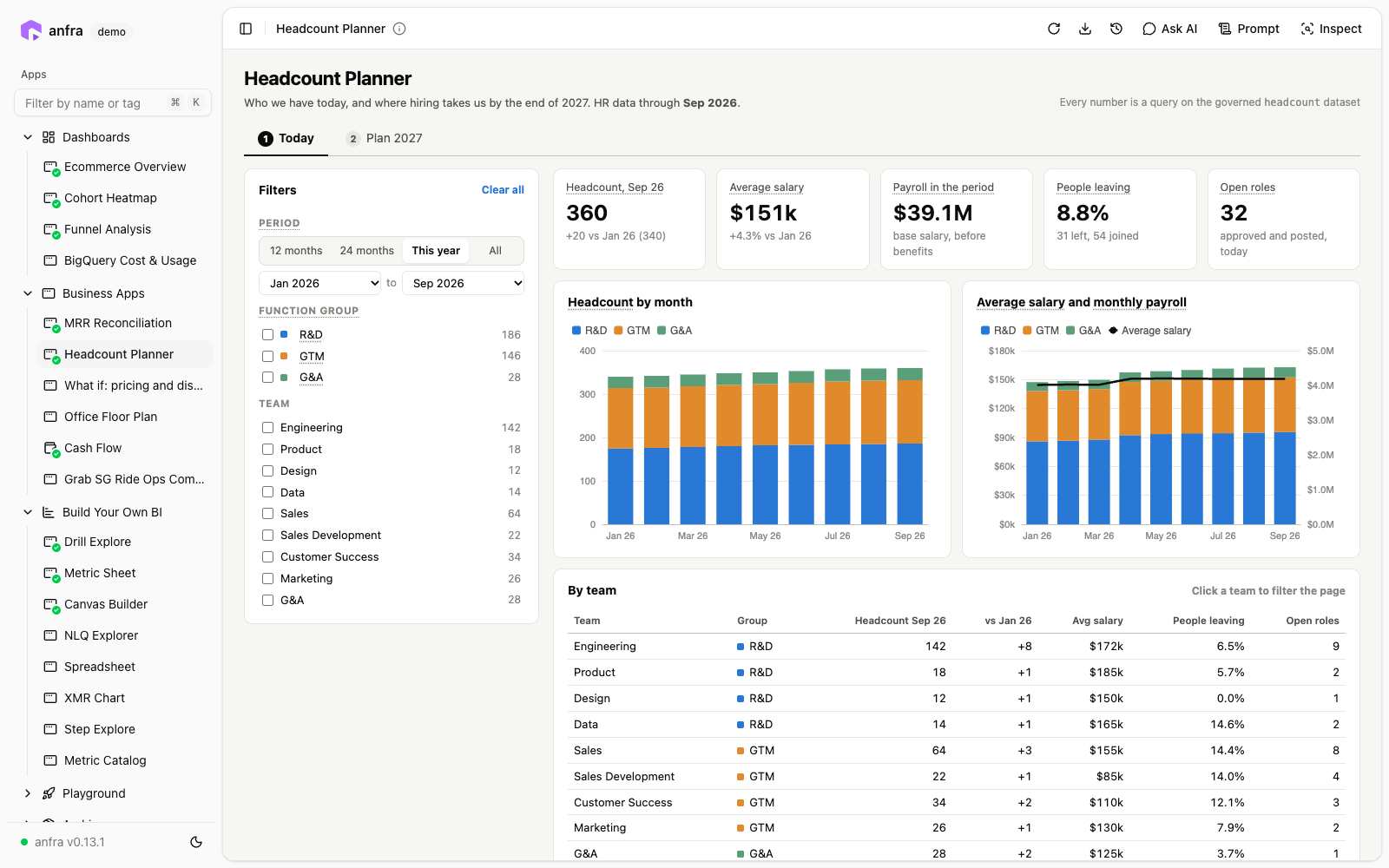
HR / finance · Planning + metric sheet
Headcount & Hiring Planner
Shows who the company has today and where hiring takes it by the end of 2027
For People Ops, finance and leadership planning hiring and payroll
Live demo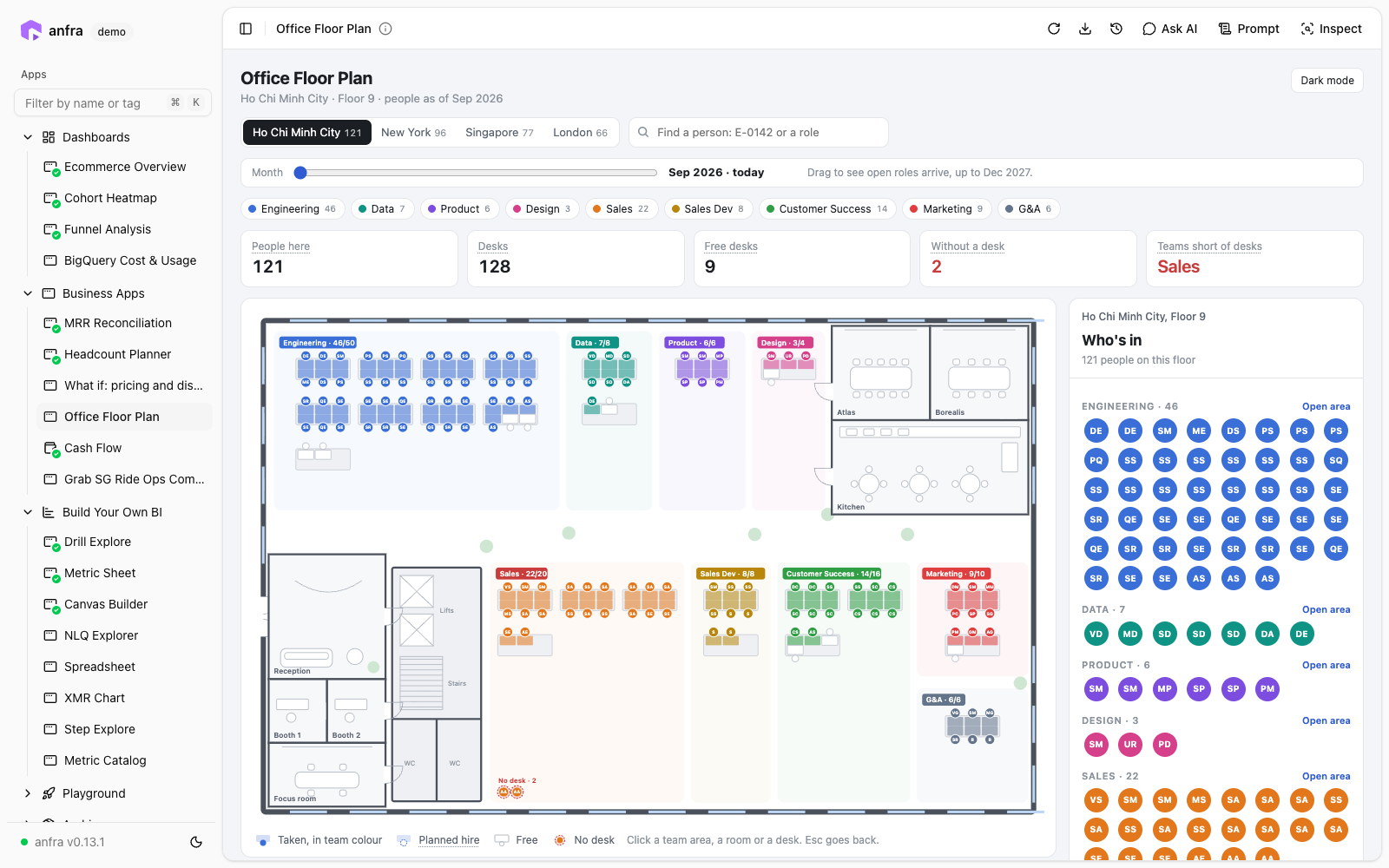
Workplace / HR ops · Map / floor plan + planning
Office Desk & Seating Planner
A live floor plan for each office (Ho Chi Minh City, New York, Singapore, London) showing every desk colored by team, with free desks, people without a desk, and teams short of space
For Workplace, facilities and People Ops teams managing desks across offices
Live demo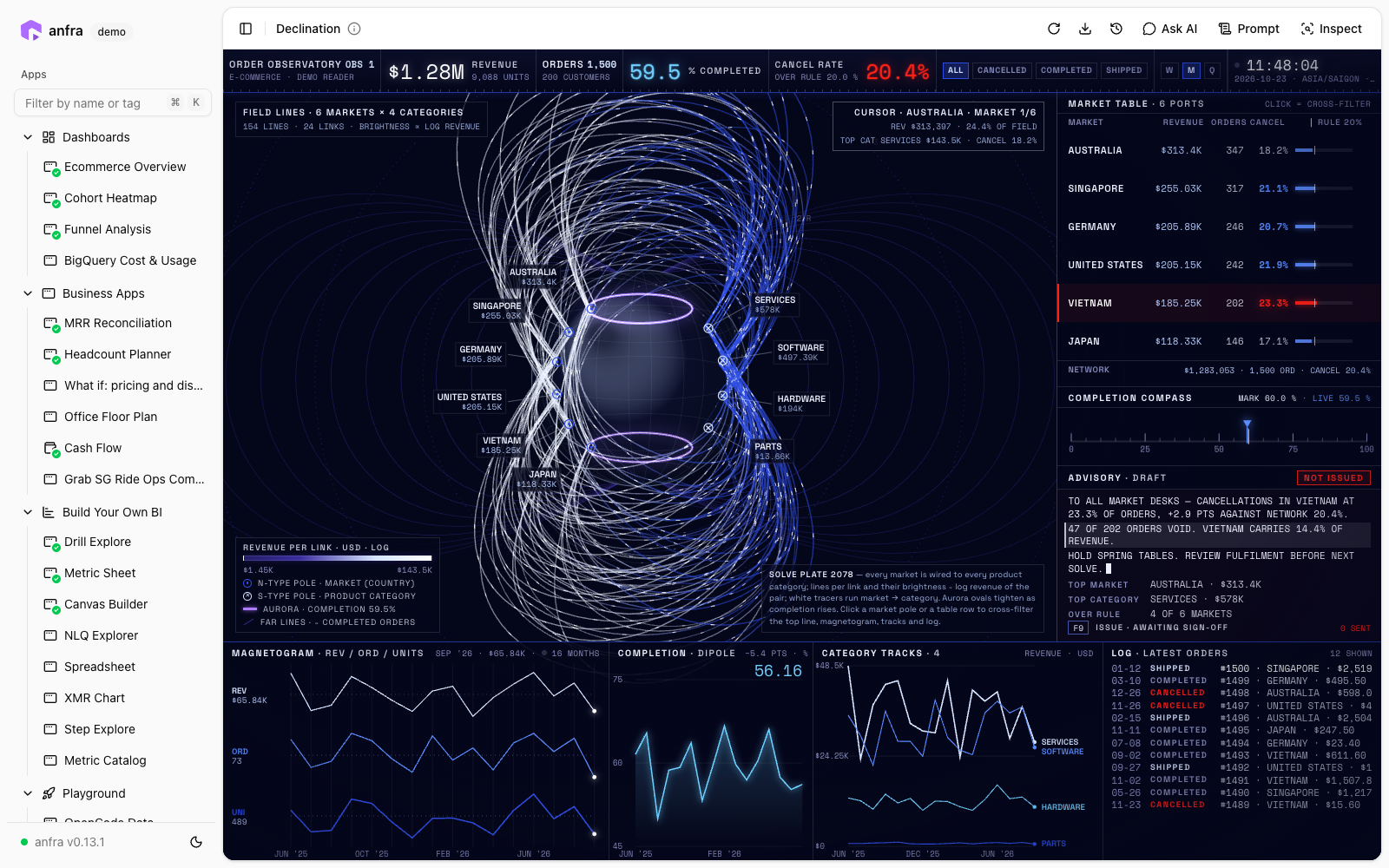
E-commerce · Experimental visual / monitoring
Order & Cancellation Monitor
An observatory-style dashboard for e-commerce orders
For E-commerce ops teams, and anyone curious how far a data app's visual design can go
Live demo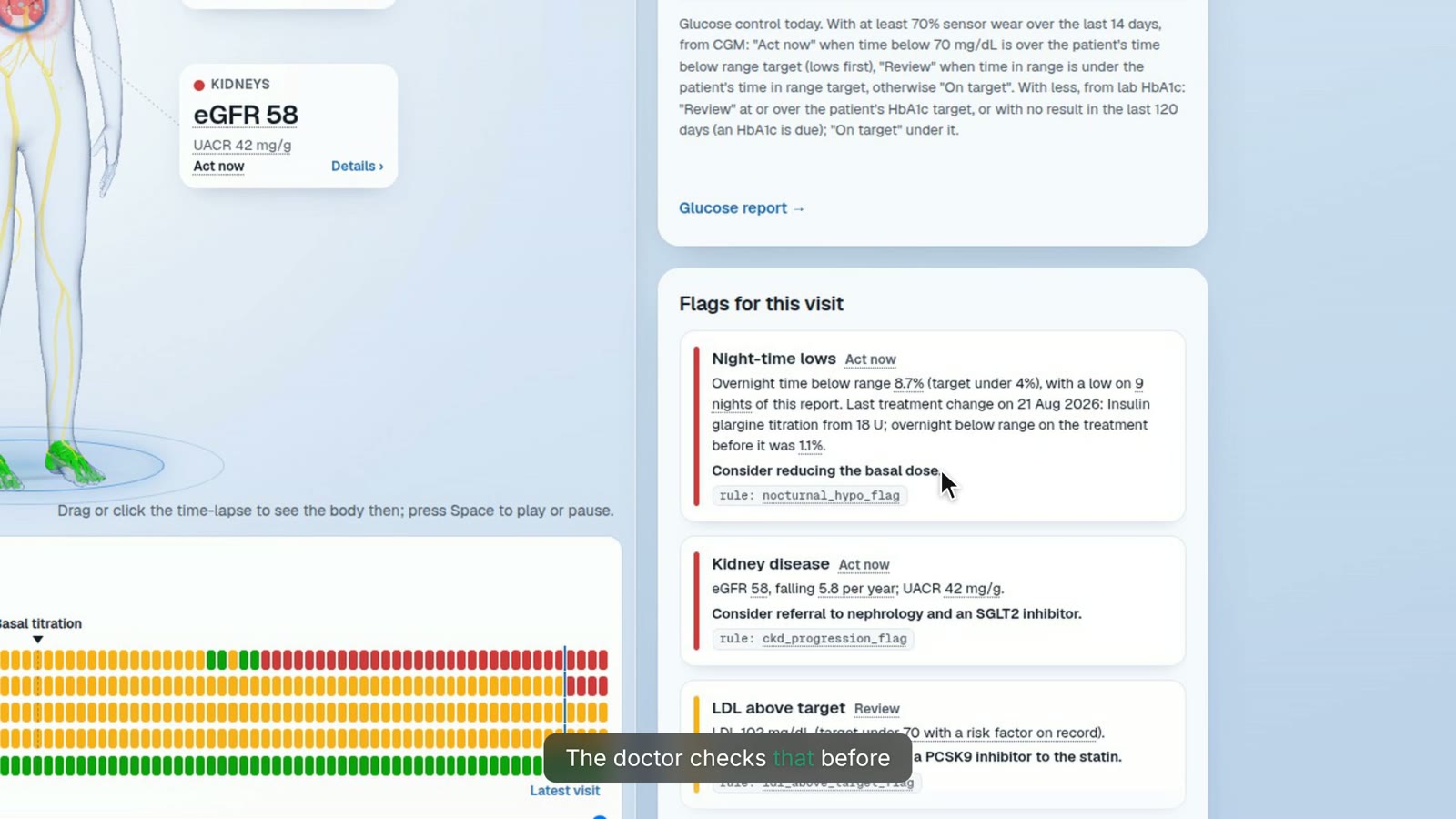
Healthcare · Tracker / patient review
Diabetes Clinic Visit Prep
Brings each patient's diabetes data into a single pre-visit view, so a doctor can see at a glance who is on track and who needs a closer look instead of reading report after report
For Diabetes doctors and endocrinology clinics preparing for patient visits
Logistics · Map / live tracker
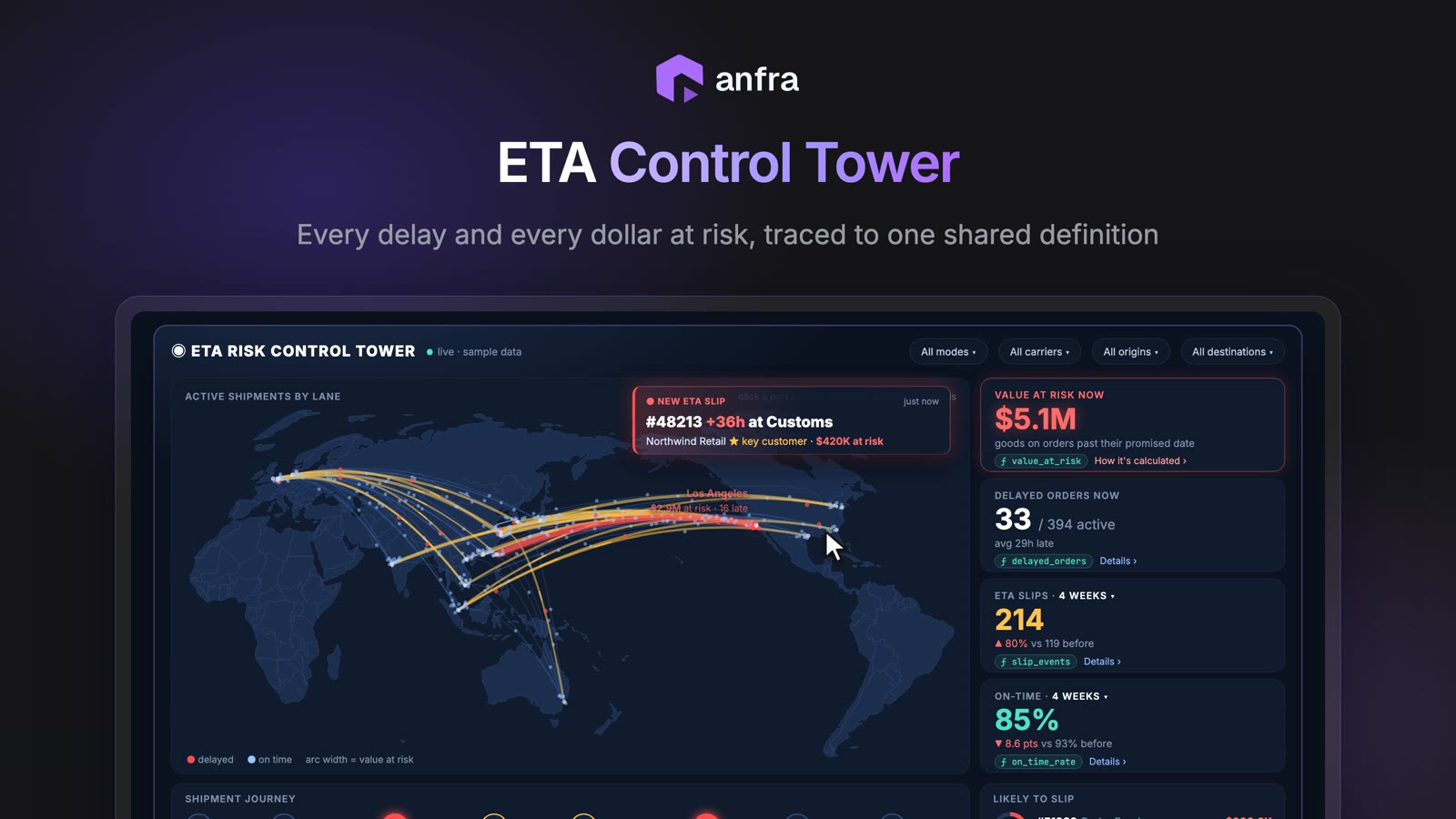
Shipment ETA Tracking
A live control tower for freight orders
For Freight and logistics operations teams
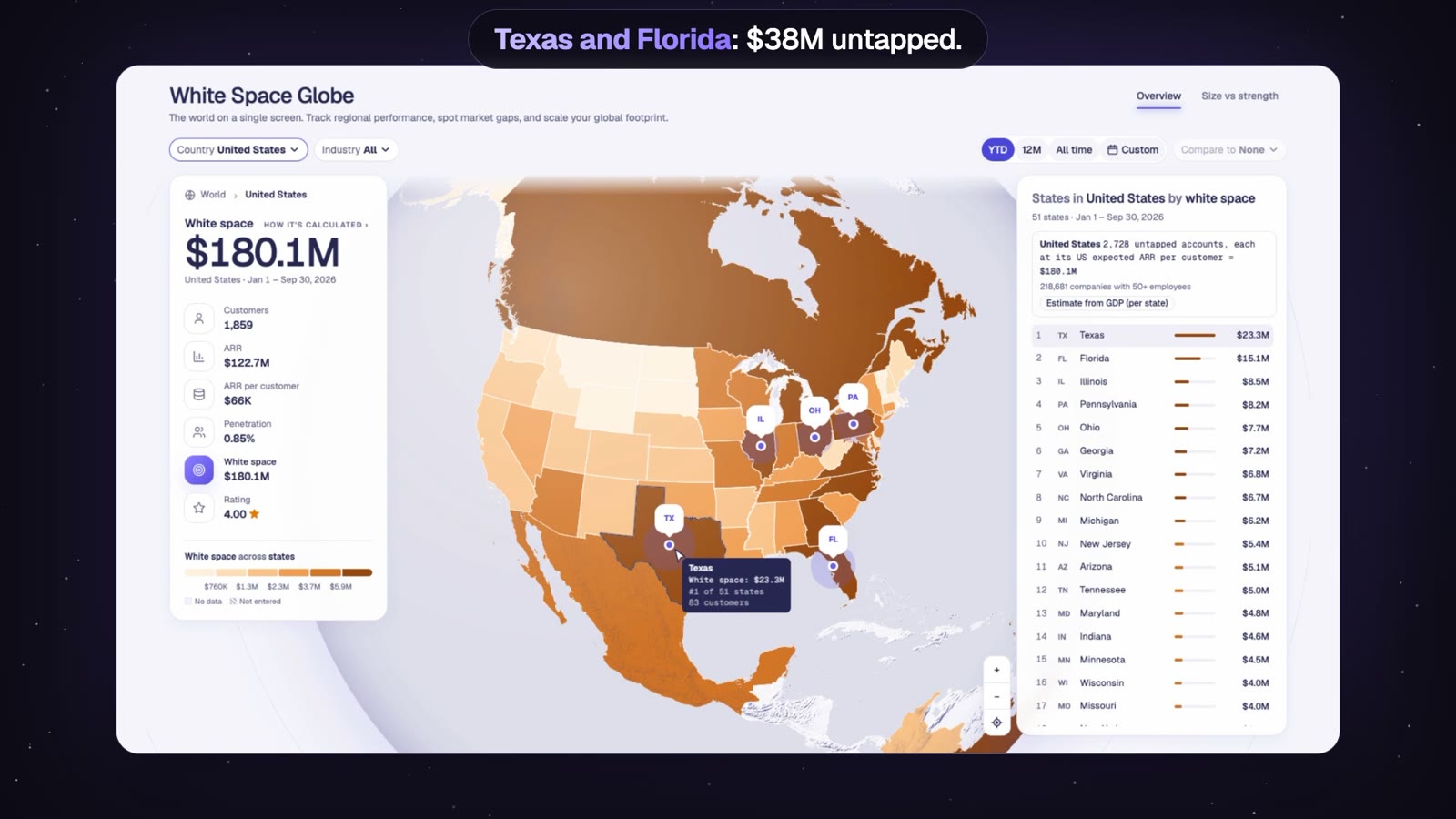
Sales · Map / territory planning
Sales Territory Planning
A 3D globe of a company's worldwide sales
For Sales leaders and RevOps planning where next year's reps and budget should go
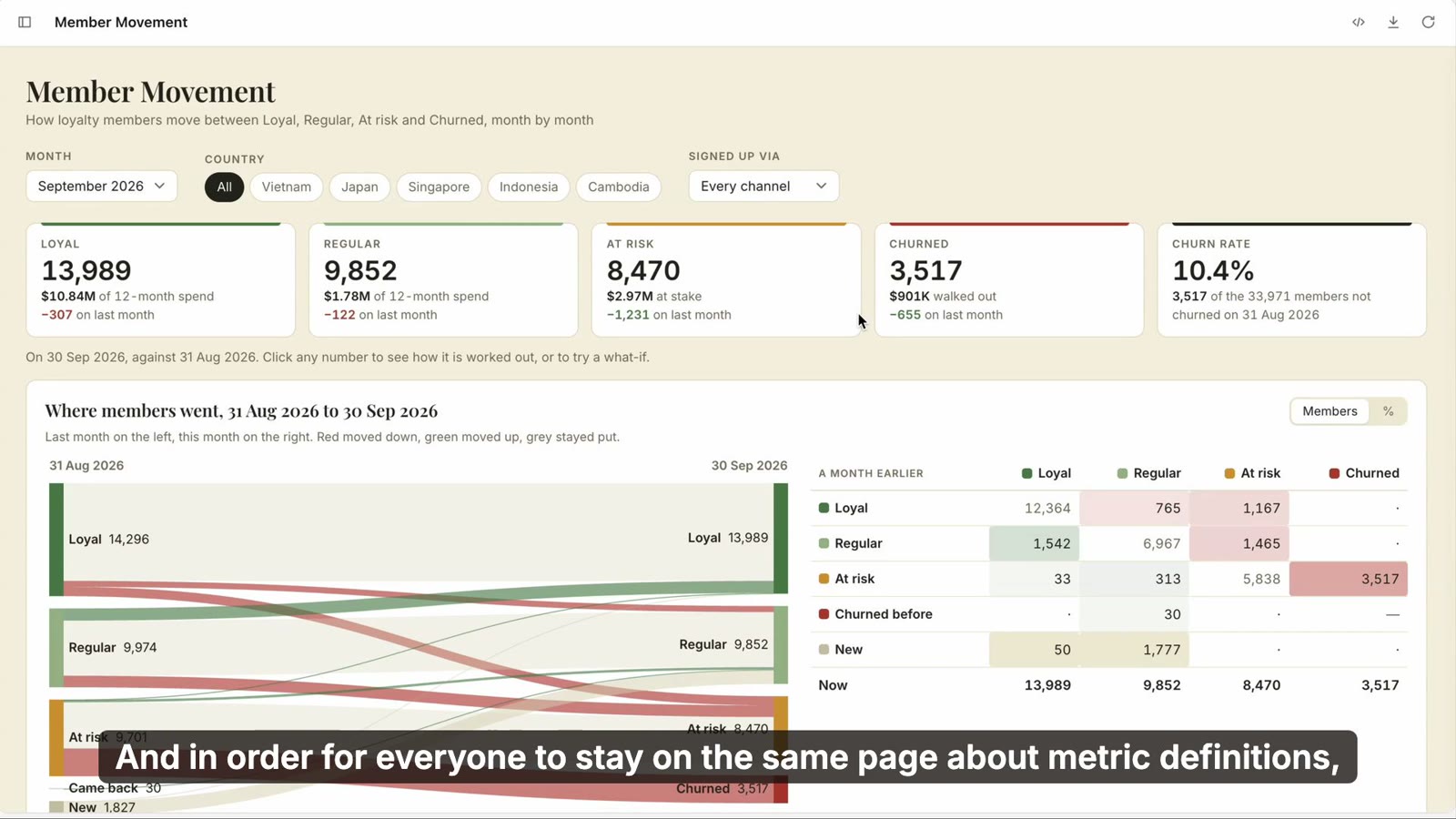
Restaurants & retail · Metric sheet + segmentation
Restaurant Chain Metric Sheet & Customer Retention
Three apps built on three years of a fictional pizza chain's data
For Operators and finance teams at multi-location restaurant or retail chains
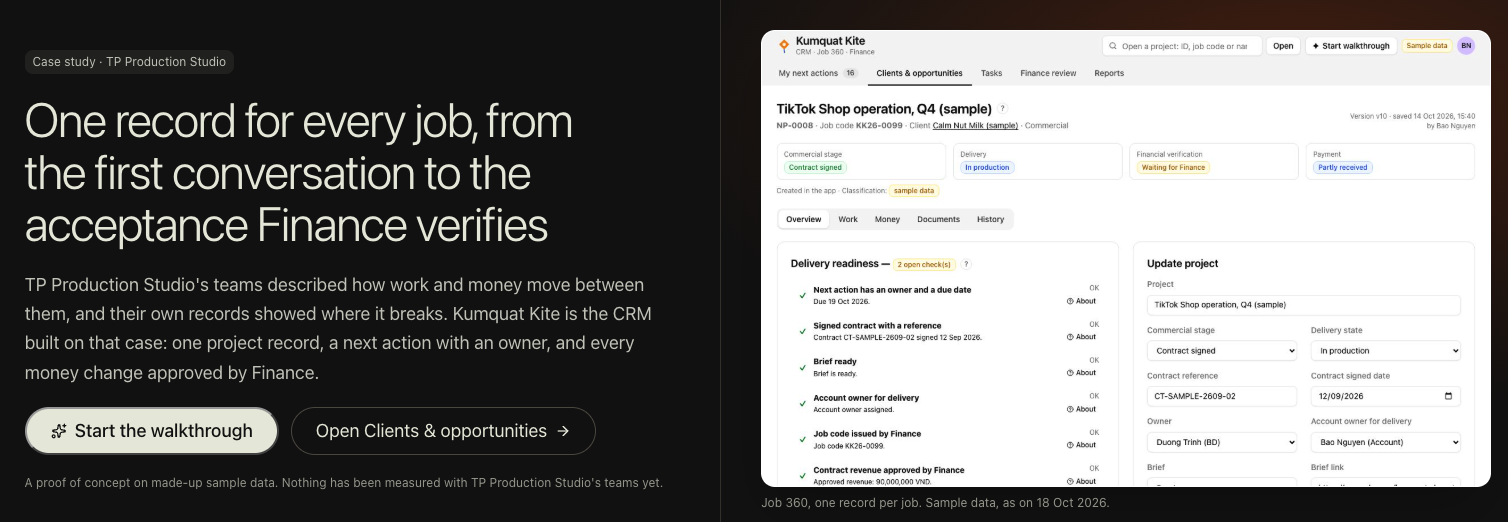
Professional services / finance · Workflow + approvals (write-back)
Project Cost Approvals & Profit Tracking
One record for every job, from the first client conversation to the acceptance Finance verifies
For Account managers and finance teams at service businesses with no in-house IT
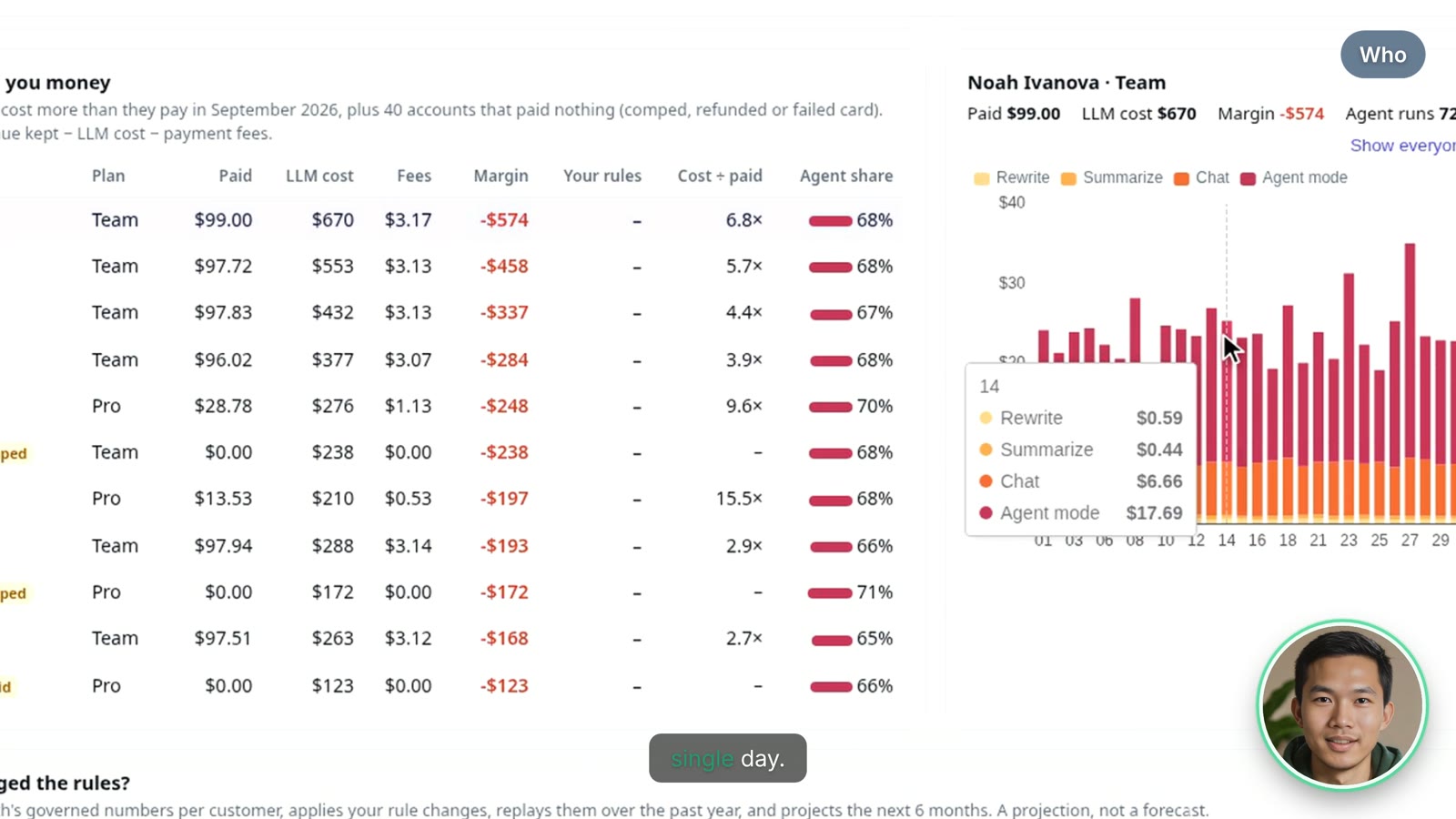
SaaS · Analysis + what-if
AI Cost & Gross Margin Analysis
Finds the customers whose AI usage costs more than they pay, then lets you test pricing rules to see which ones fix gross margin
For SaaS founders and finance teams whose AI features have real per-customer costs
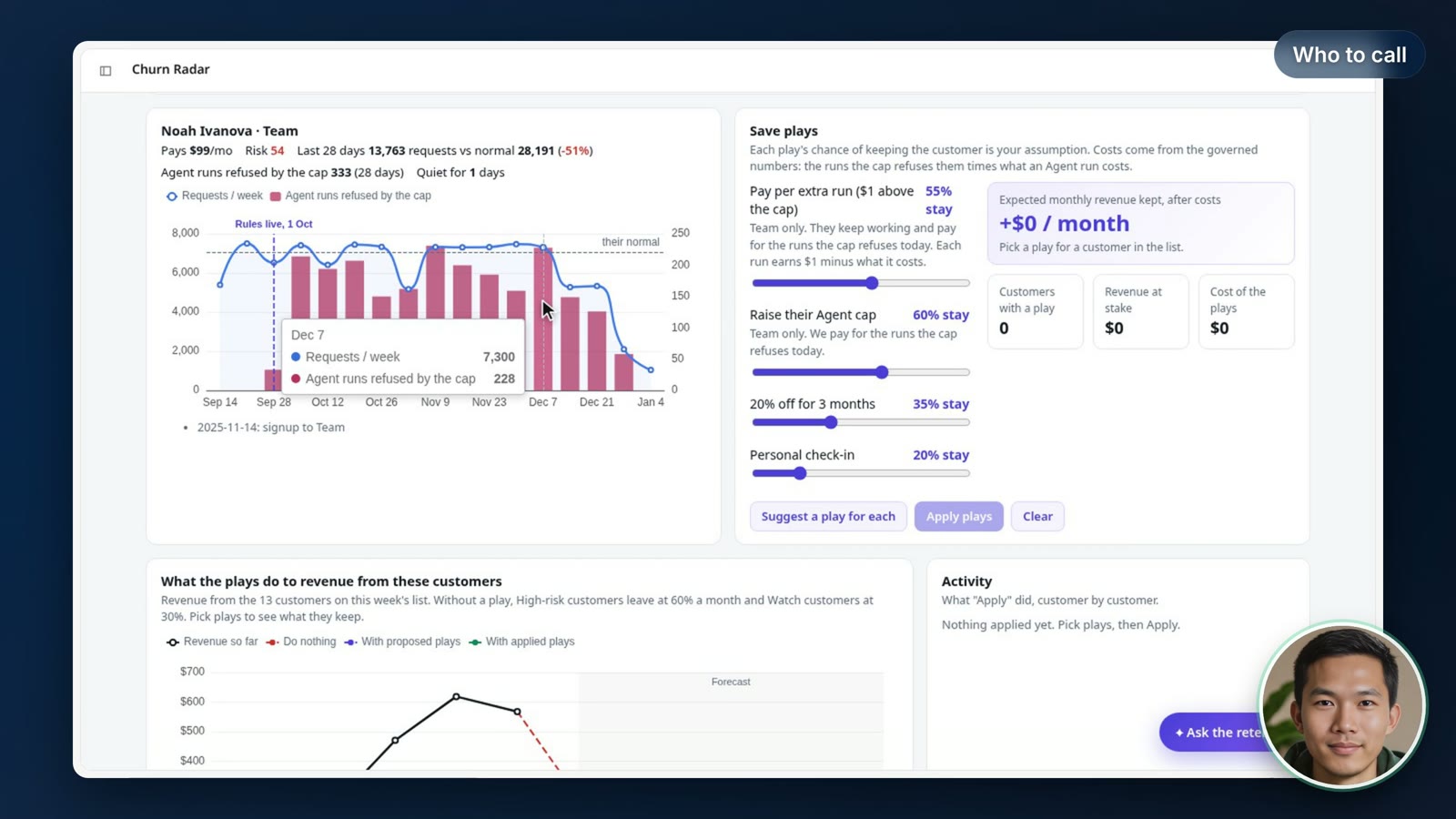
SaaS · Risk scoring + next best action
Customer Churn Prediction
Flags the customers likely to leave and explains why, then ranks the best action to keep each one
For Customer success and SaaS leadership
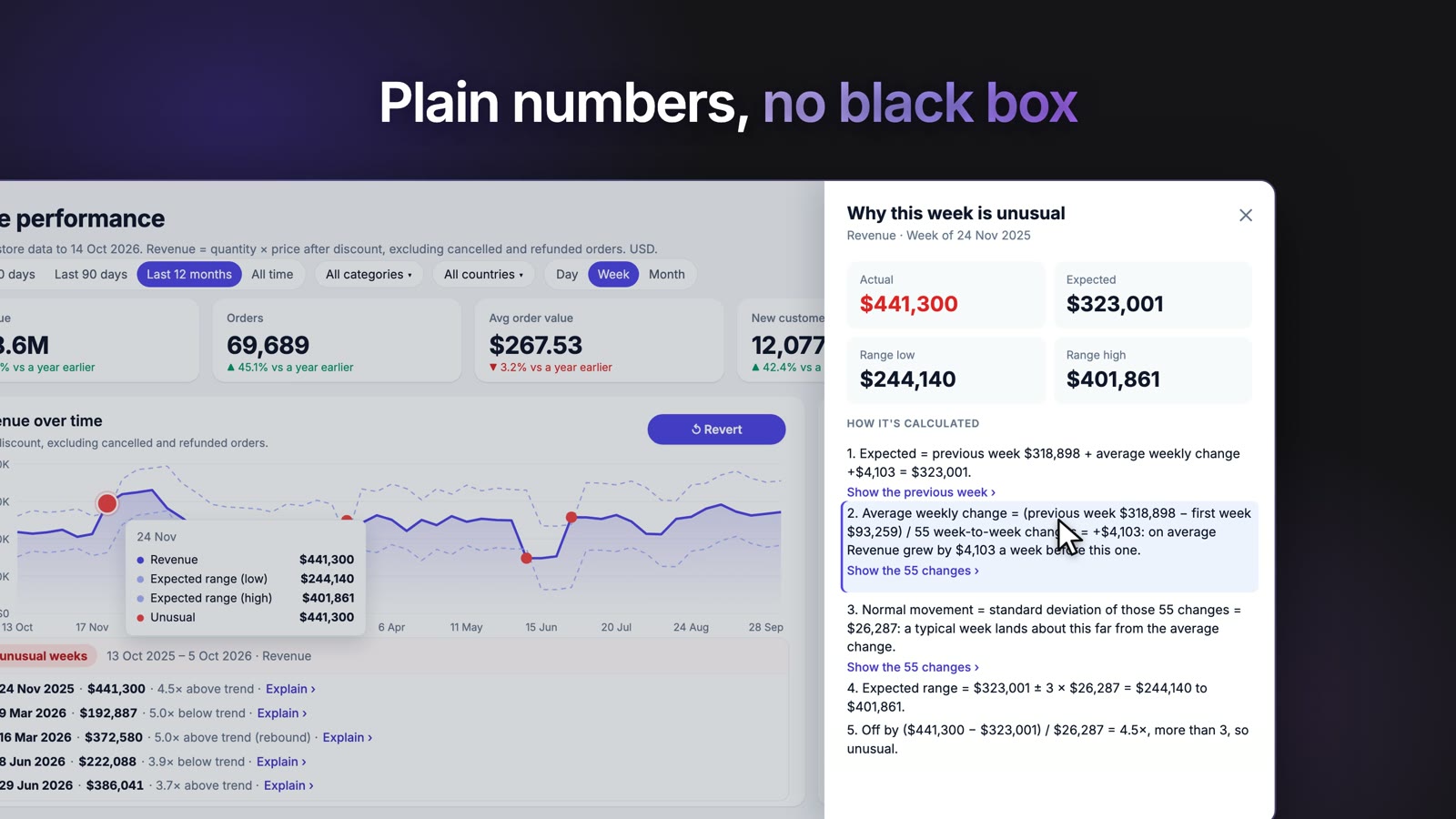
Retail · Monitoring / anomaly detection
Retail Store Anomaly Detection
A store performance app with an anomaly-detection plugin that surfaces unusual moves in store metrics, so you look where something changed instead of scanning every chart
For Retail ops and regional managers who watch many stores
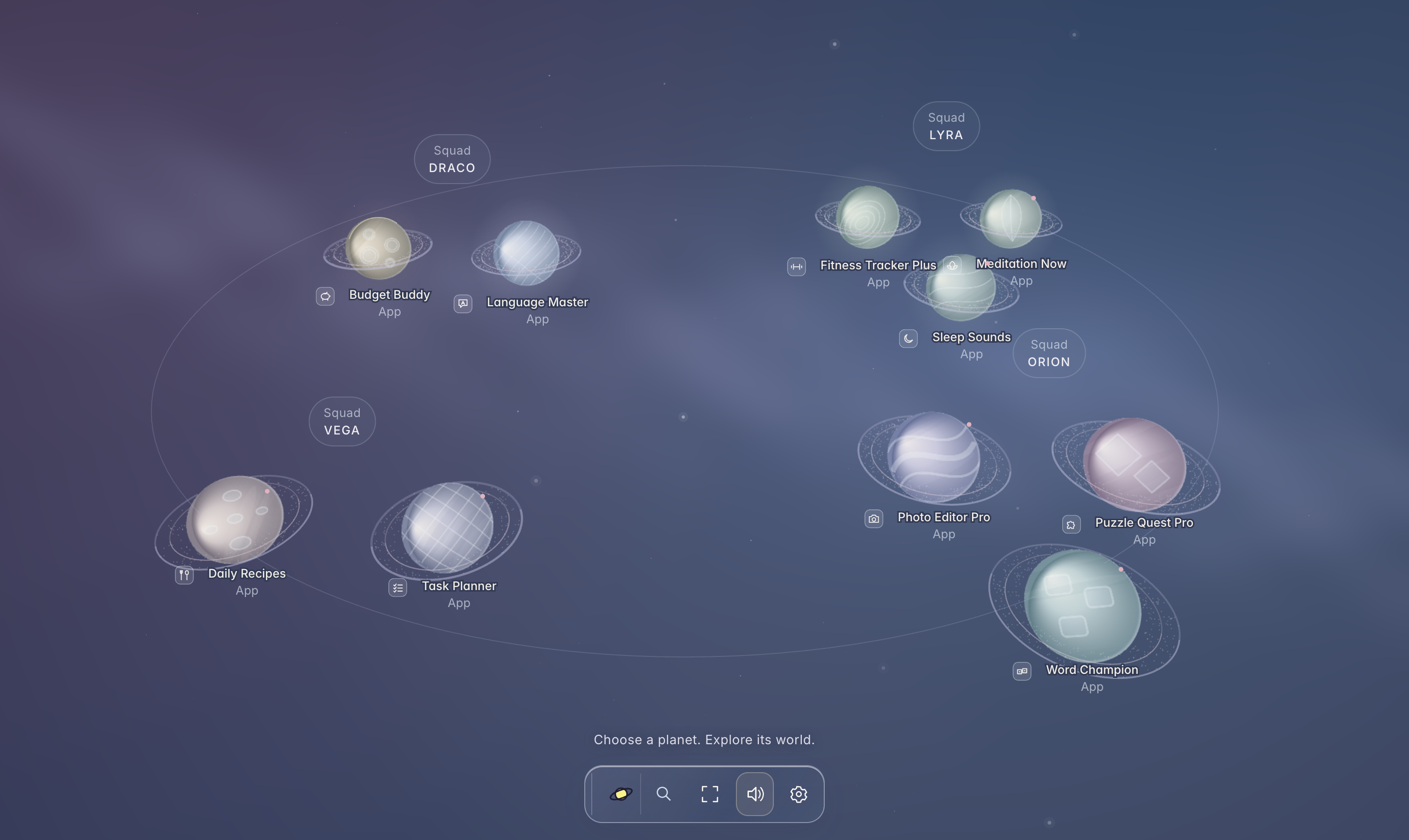
Mobile apps / marketing · Portfolio health + growth planning
Mobile App Portfolio Health
Shows an app publisher's portfolio as a galaxy: every app is a planet and every squad a spacecraft
For Growth and marketing teams at mobile app publishers
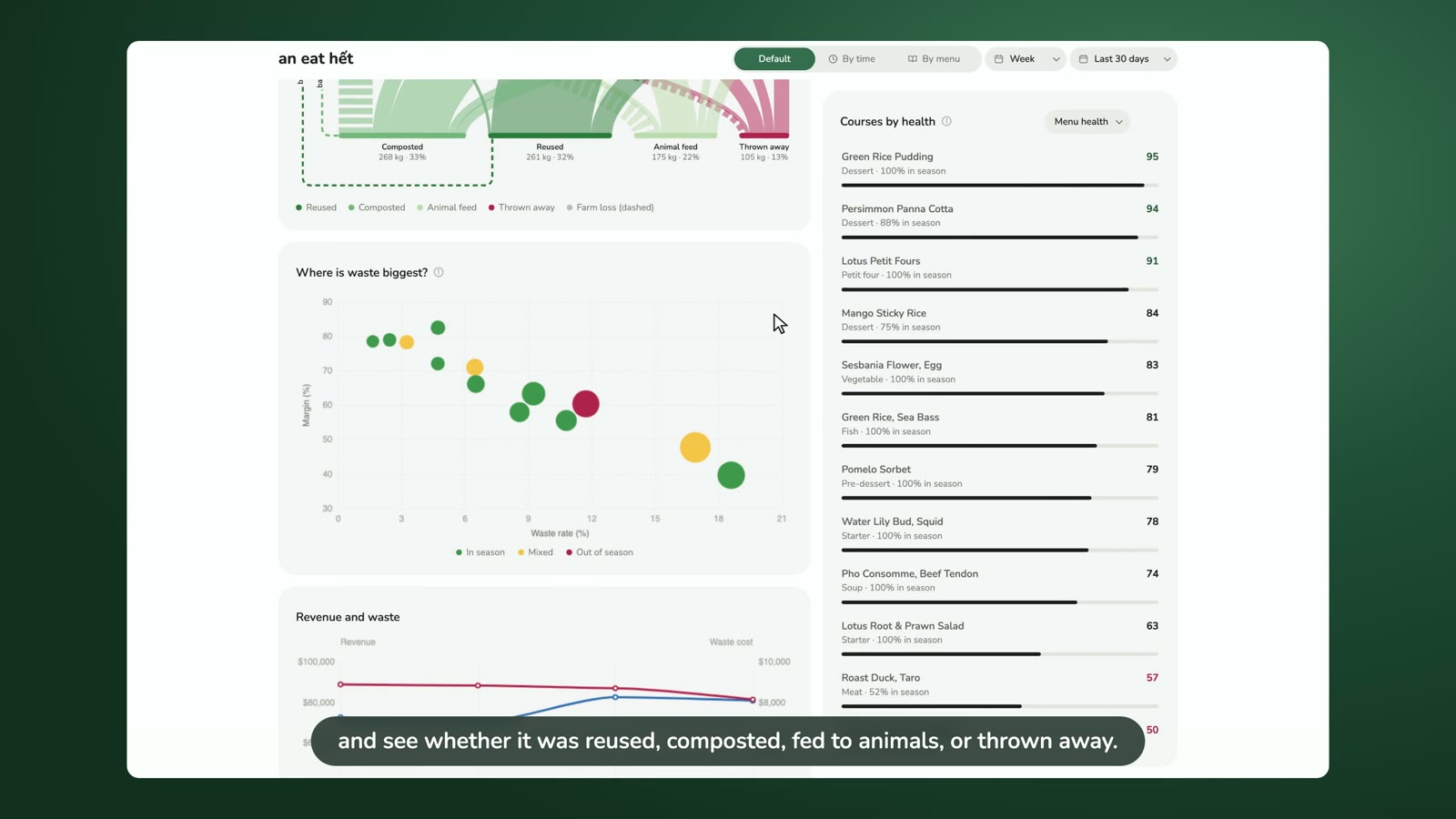
Restaurants / sustainability · Operations tracker
Restaurant Kitchen & Food Waste Tracker
Runs a kitchen that tracks everything: menu health, revenue, guests, and every kilogram of food from farm to plate (reused, composted or thrown away)
For Restaurant and kitchen managers
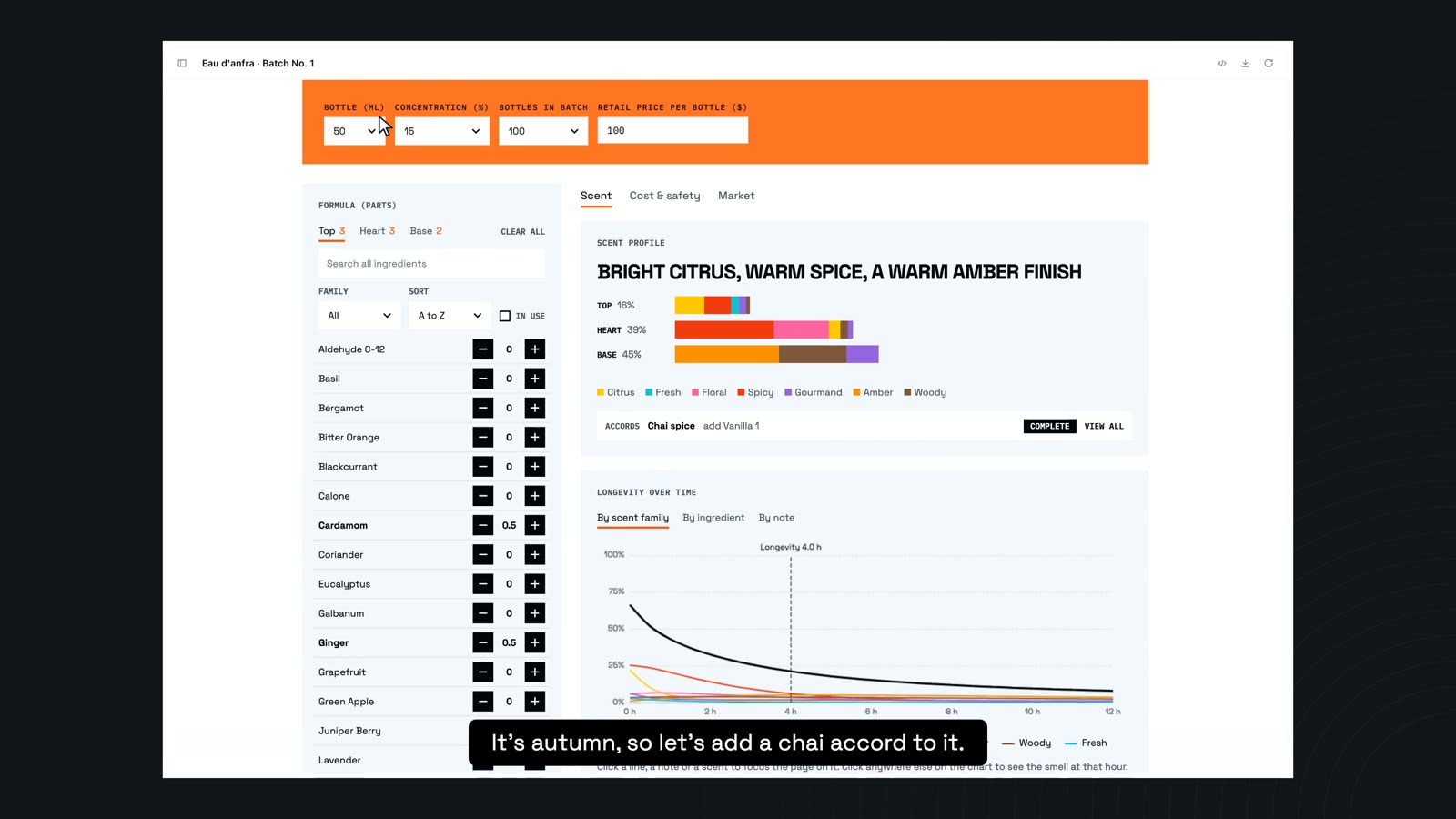
Consumer goods · Costing + pricing what-if
Product Costing & Pricing Simulator
Mix your own perfume formula, watch the cost per bottle update as you go, then set a price that makes a profit
For Product and pricing teams at consumer-goods brands, framed as a perfume-maker game
Apps For Data Teams5
Tools that help a data team run its metrics, dashboards and weekly reviews
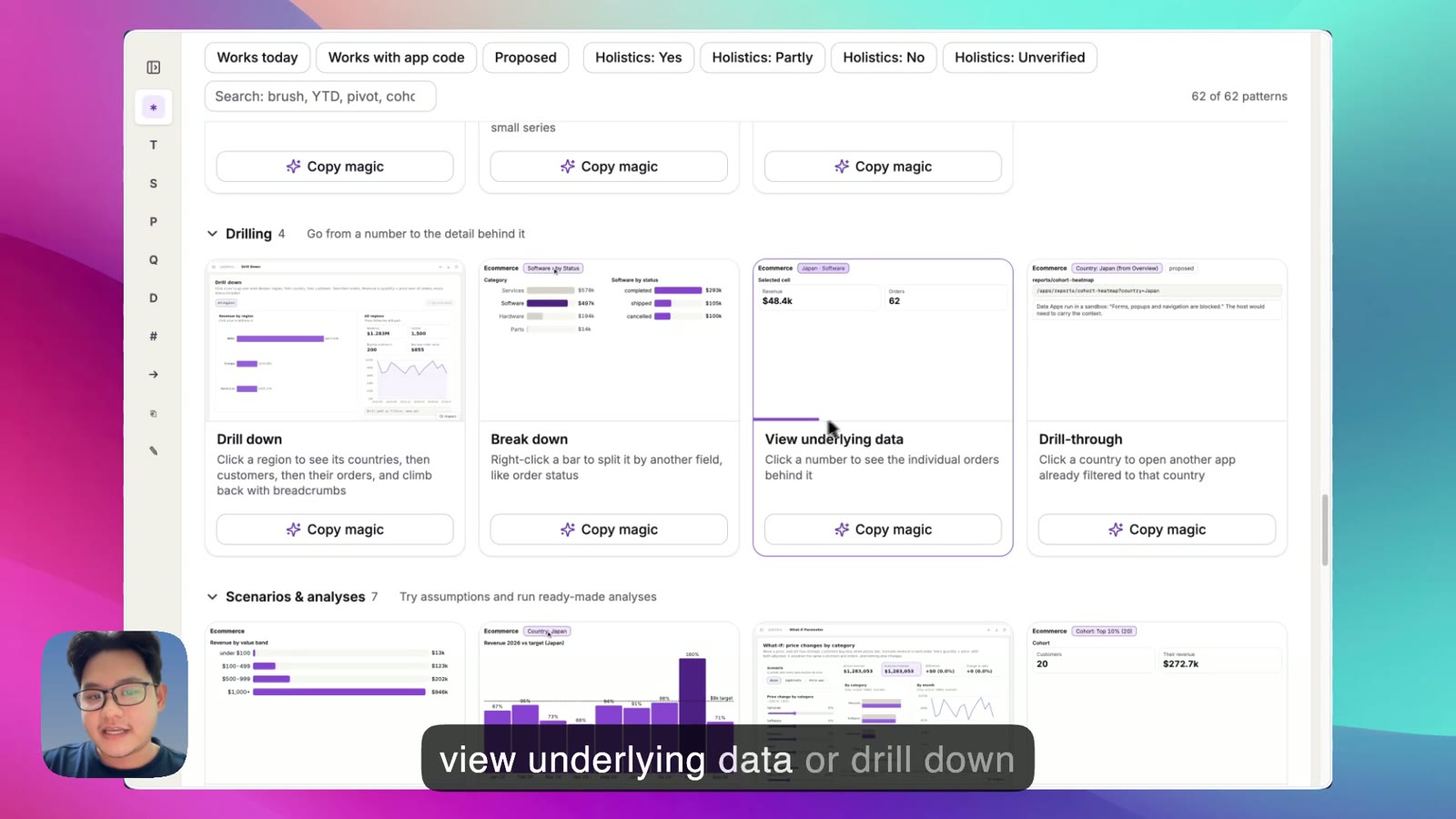
Data app builders · Reference gallery
Dashboard Interactions Gallery
Names and demos the common analytical interactions from well-known BI tools: date filters, period comparison, date drill, cross-filtering, drill-down, what-if parameters, view underlying data
For Anyone building dashboards or data apps with an AI agent who can picture an interaction but can't name it
Live demo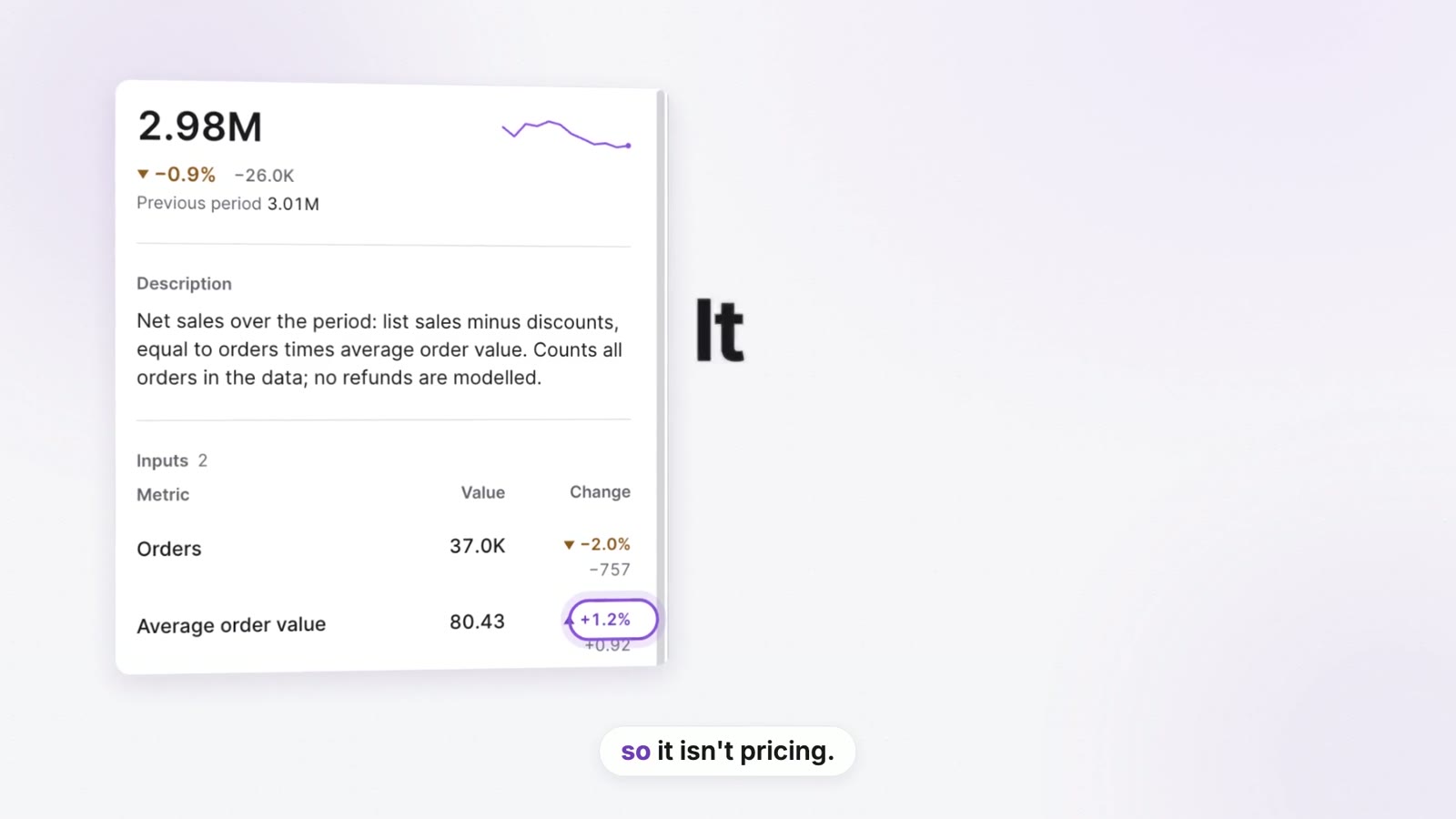
Data teams / leadership · Metric tree + catalog
KPI Driver Tree
Turns the metric definitions in your repo into a live tree
For Data teams and execs who want to see why a top-line number moved
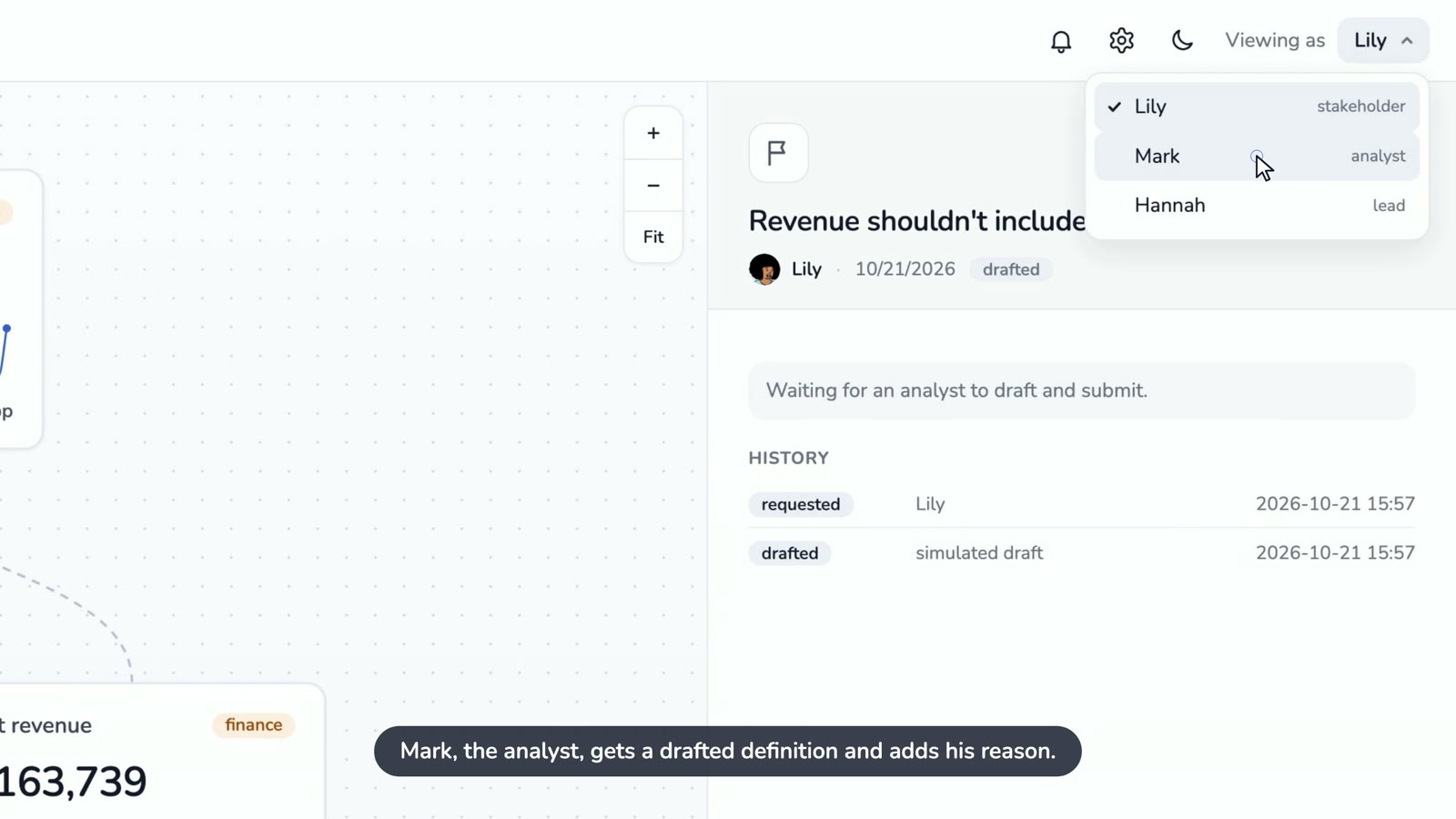
Data teams · Plugin / metric history
Metric Decision Log
Keeps a running history on each metric: the decisions logged after investigating a move, and definition changes in plain language (what changed, who approved it, when)
For Teams that keep asking “what did we do last time this dipped?”
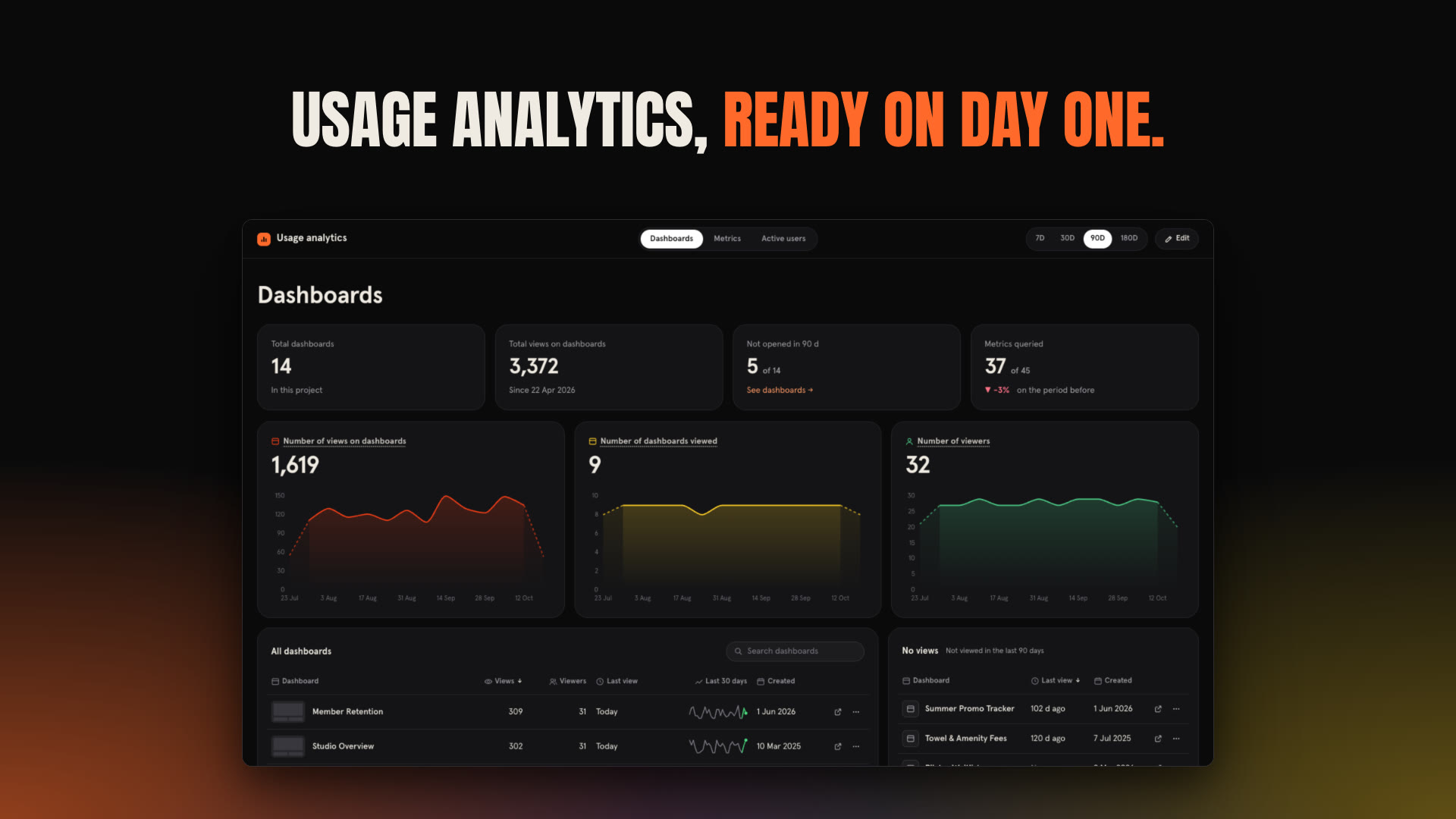
Data teams · Plugin / admin analytics
Dashboard Usage Analytics
A ready-made plugin that shows which dashboards people still open
For Data teams and BI admins with too many dashboards
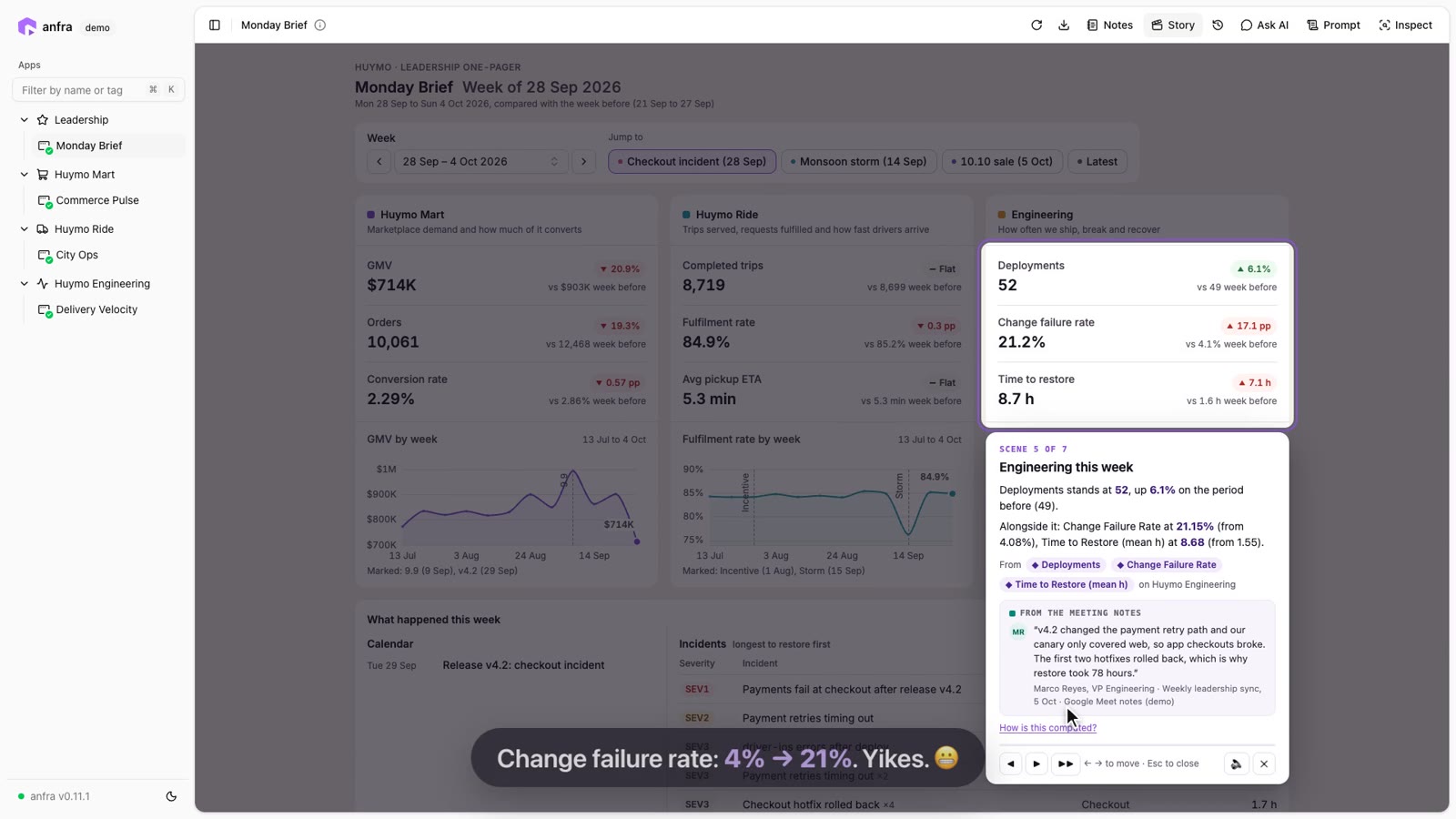
Leadership · Plugin / narrated briefing
Weekly Business Review Briefing
Story Mode walks you through any app chart by chart and says what matters
For Execs and team leads who get a weekly “what happened last week?” update
Data Stories and Games11
Experiments that show how far a data app can go past a grid of charts
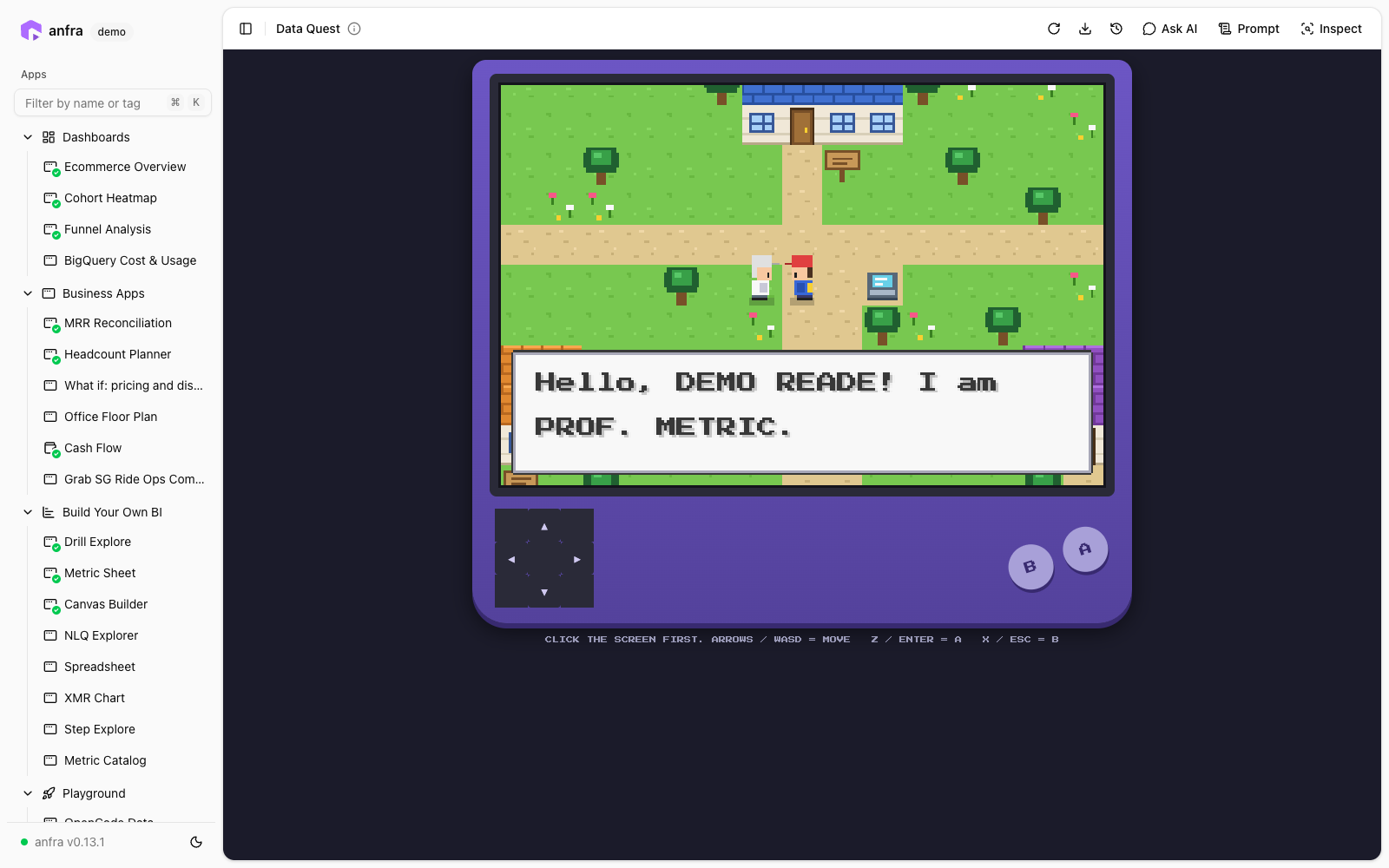
Just for fun · Game / data exploration
Store Metrics Adventure Game
A retro, Pokémon-style RPG
For Anyone who wants a playful way to explore a store's numbers
Live demo
Just for fun · Lookup / catalog
Pokédex & Battle Planner
Explore all 1,025 Pokémon, build a team with movesets, battle tough trainers, get move suggestions from a Battle Helper, and test yourself with a quiz
For Pokémon fans, and anyone learning to build a catalog-style data app
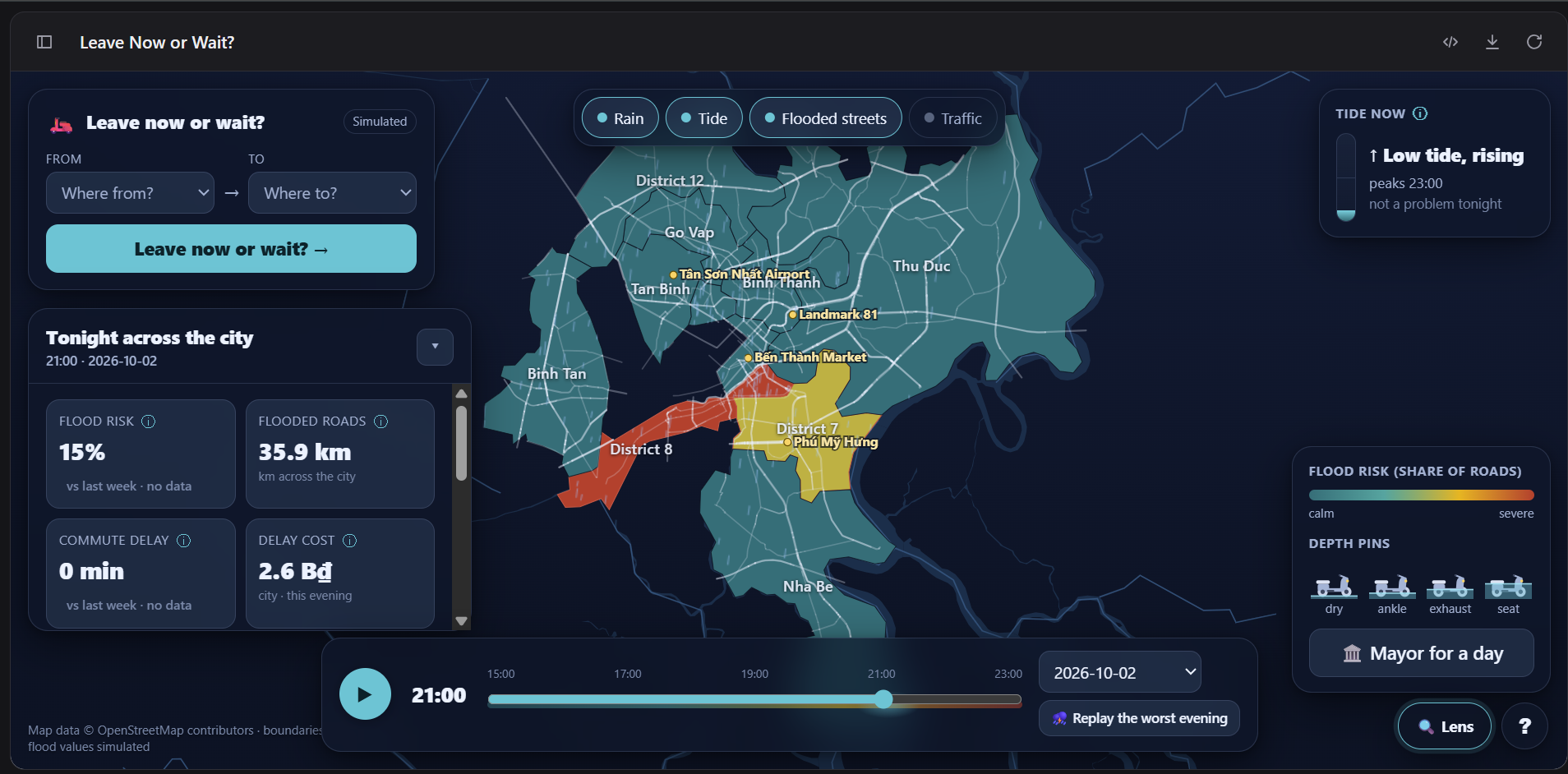
Civic / weather · Map / forecast + simulation
Flood Forecast & Commute Planner
An hour-by-hour flood forecast for Ho Chi Minh City, with water depth measured in motorbike parts
For Commuters in flood-prone cities, and city planners
Urban planning / real estate · Map / data story
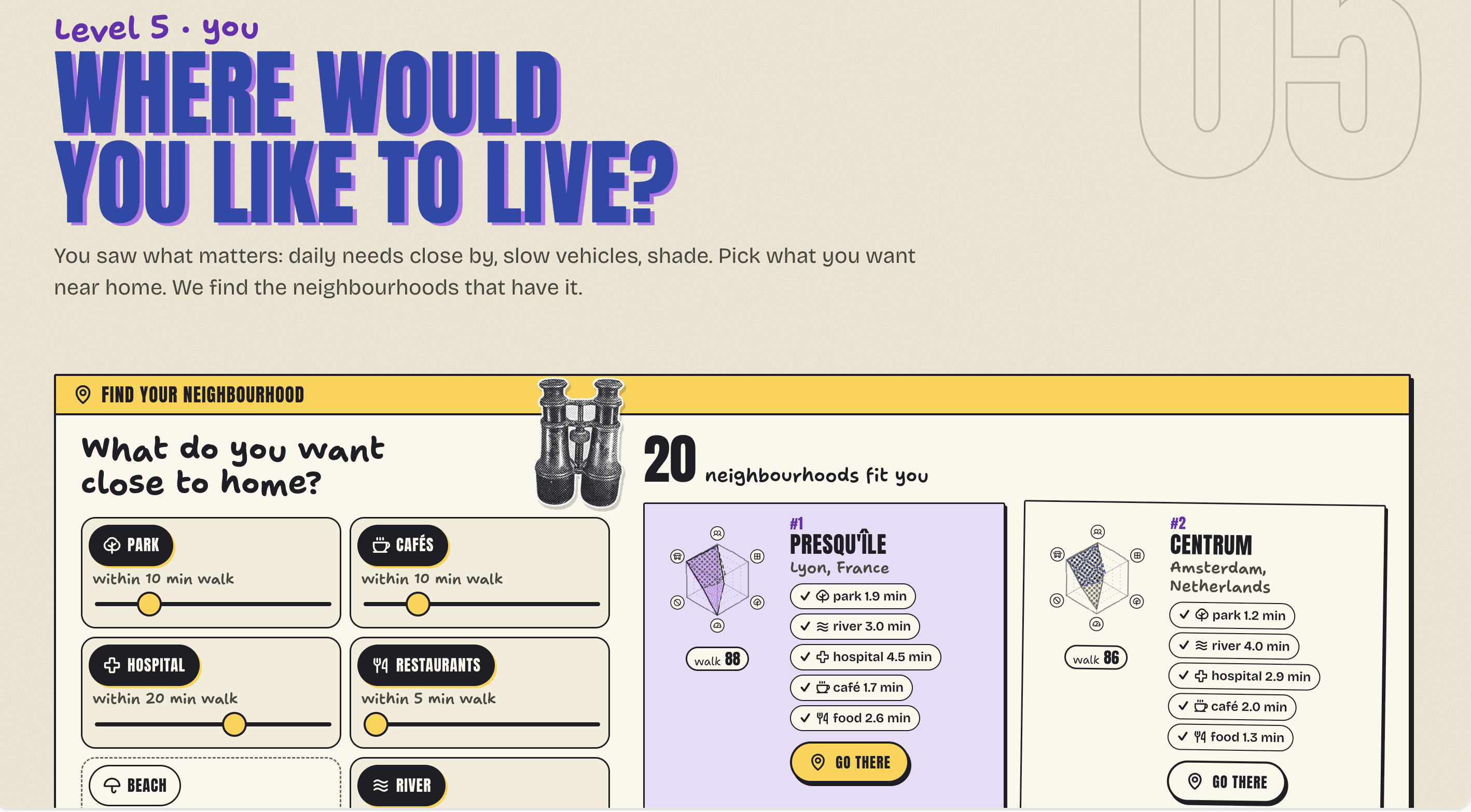
Neighborhood Walkability Explorer
An interactive data story that asks whether your place is made for people or for vehicles
For People choosing where to live, and urban-planning nerds
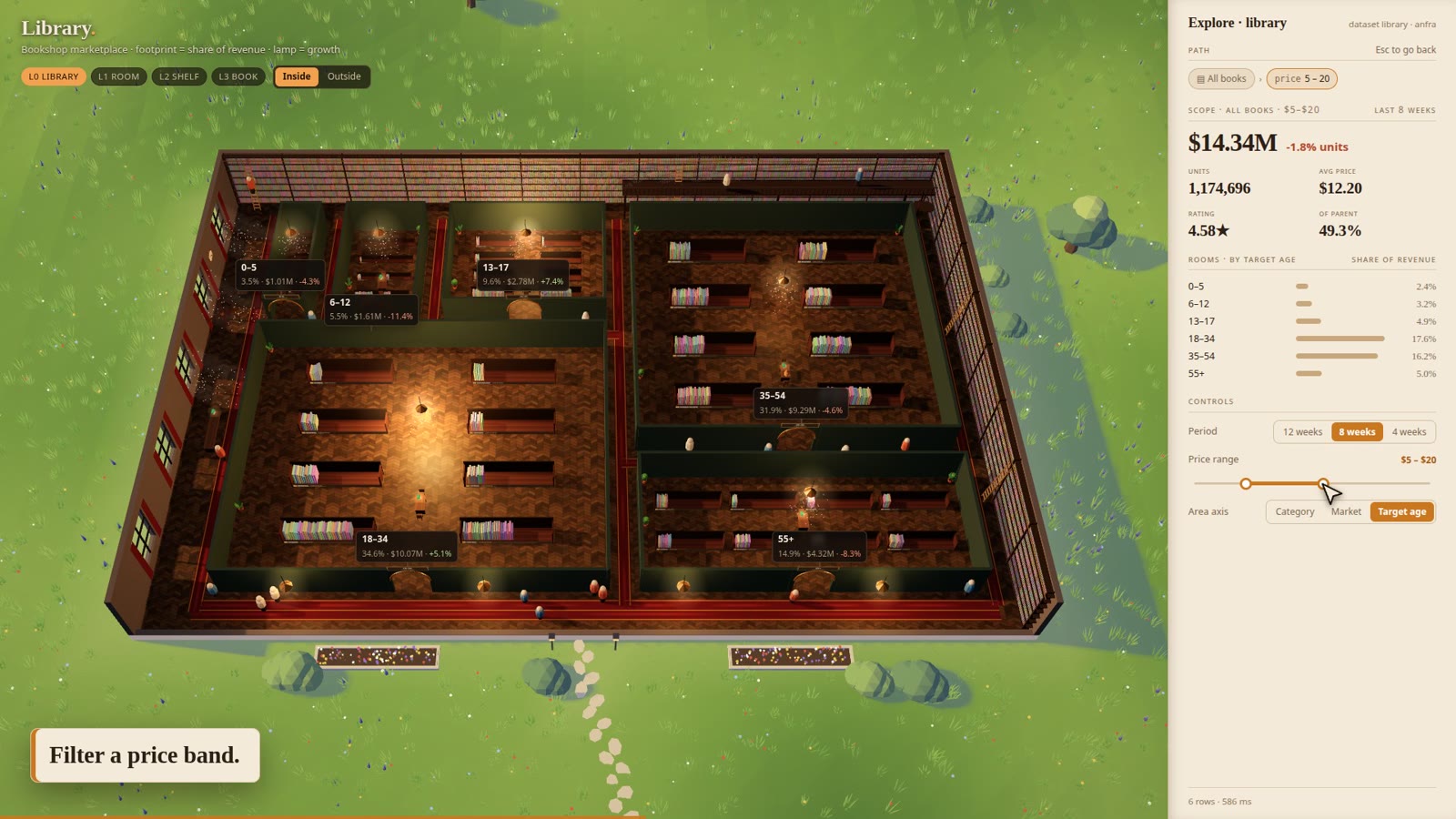
Marketplace / retail · 3D catalogue
3D Product Catalog Explorer
A book marketplace's catalogue rendered as a library you can walk through
For Merchandising and category teams, and anyone who wants to see what a data app can look like
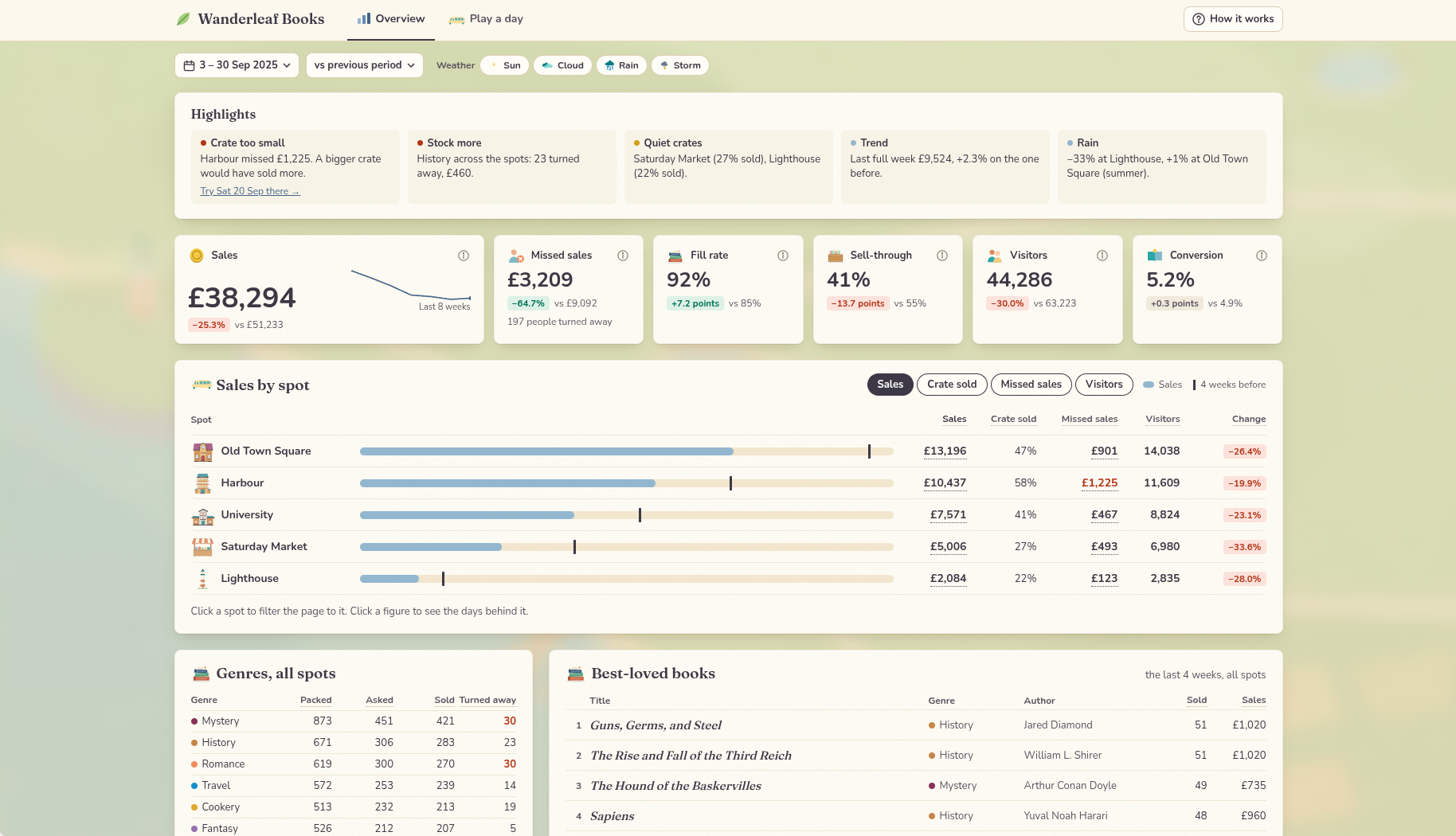
Retail · Forecast + decision simulation
Pop-up Shop Demand Forecasting Game
Run a travelling bookshop for a day: forecast demand, pick a spot in town, pack the crate, then see how your choices play out against the customers who actually came
For Retail and pop-up operators, as a game
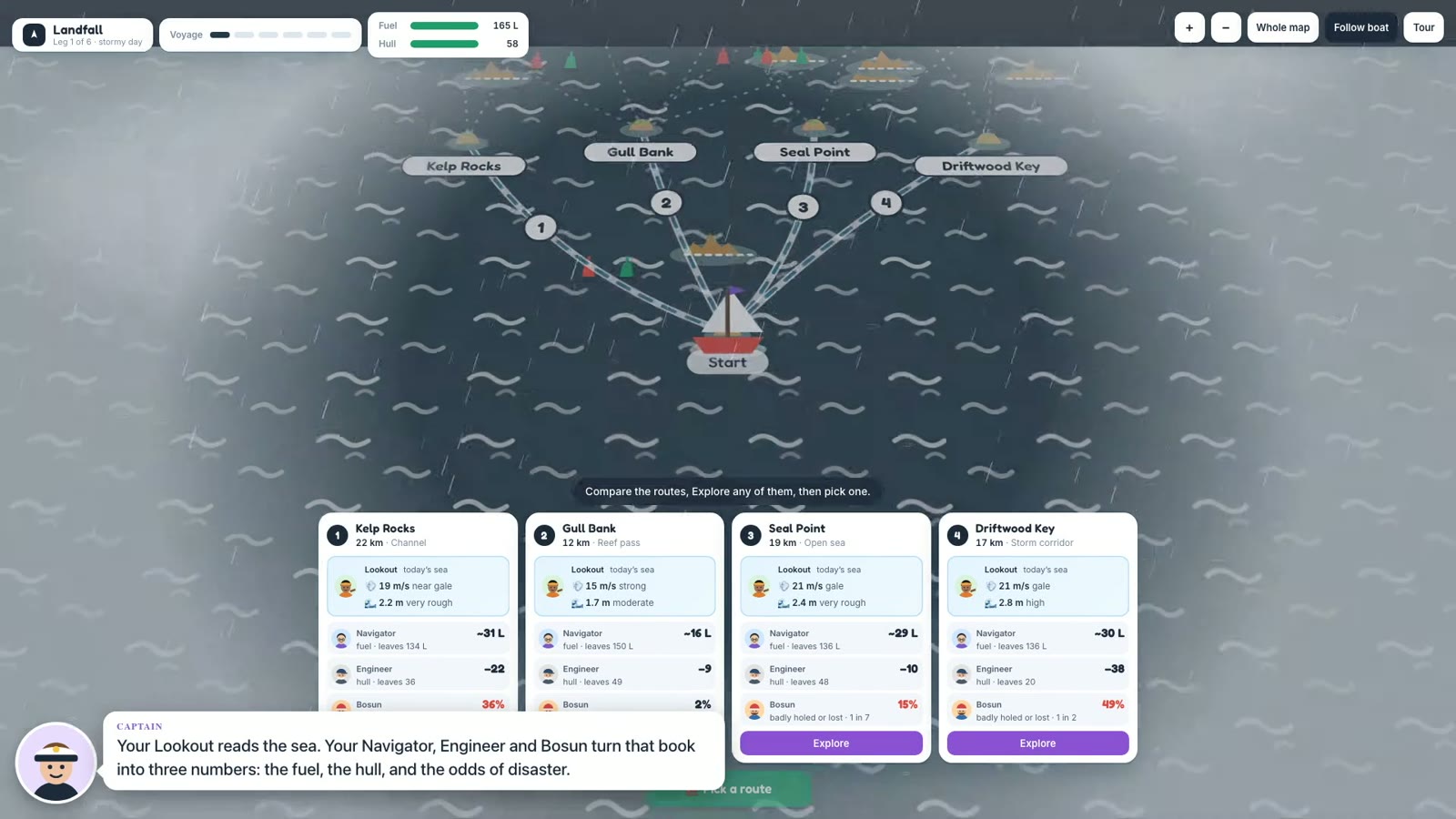
Just for fun · Decision support game
Route Cost Decision Game
You're a skipper picking routes through a storm with limited fuel
For Anyone: it's a game that teaches trusting (and inspecting) numbers
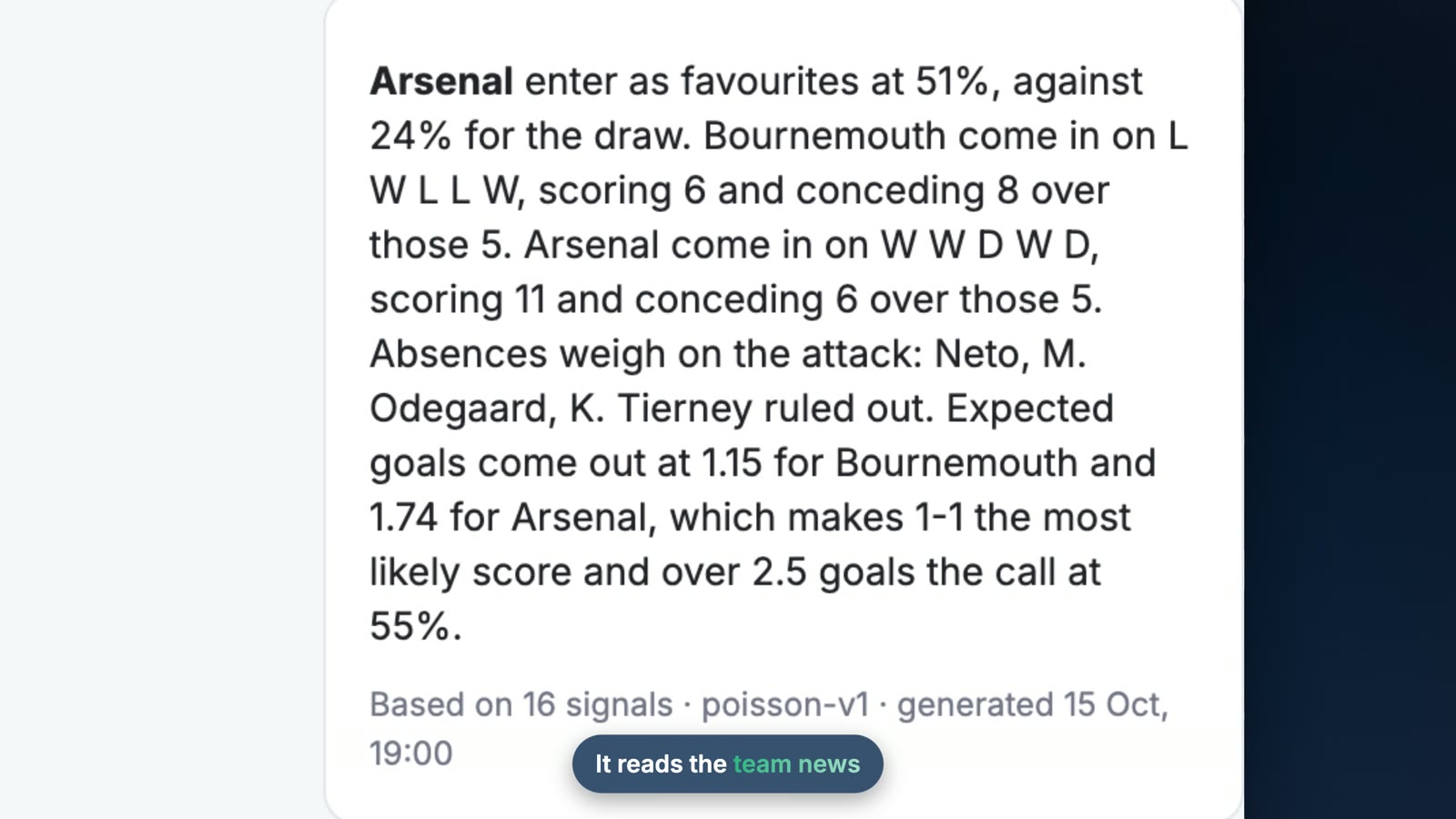
Sports · Prediction + explainability
Football Match Predictions
Predicts match results and shows the reasoning behind each call (recent form, injuries, suspensions), along with a record of every prediction it got right and wrong
For Football fans

Consumer apps · Funnel analysis
Dating App Conversion Funnel
Turns a dating app's funnel into a metro line, from first swipe to first date, showing who gets off at each stop and why
For Product teams: it's a funnel analysis in disguise
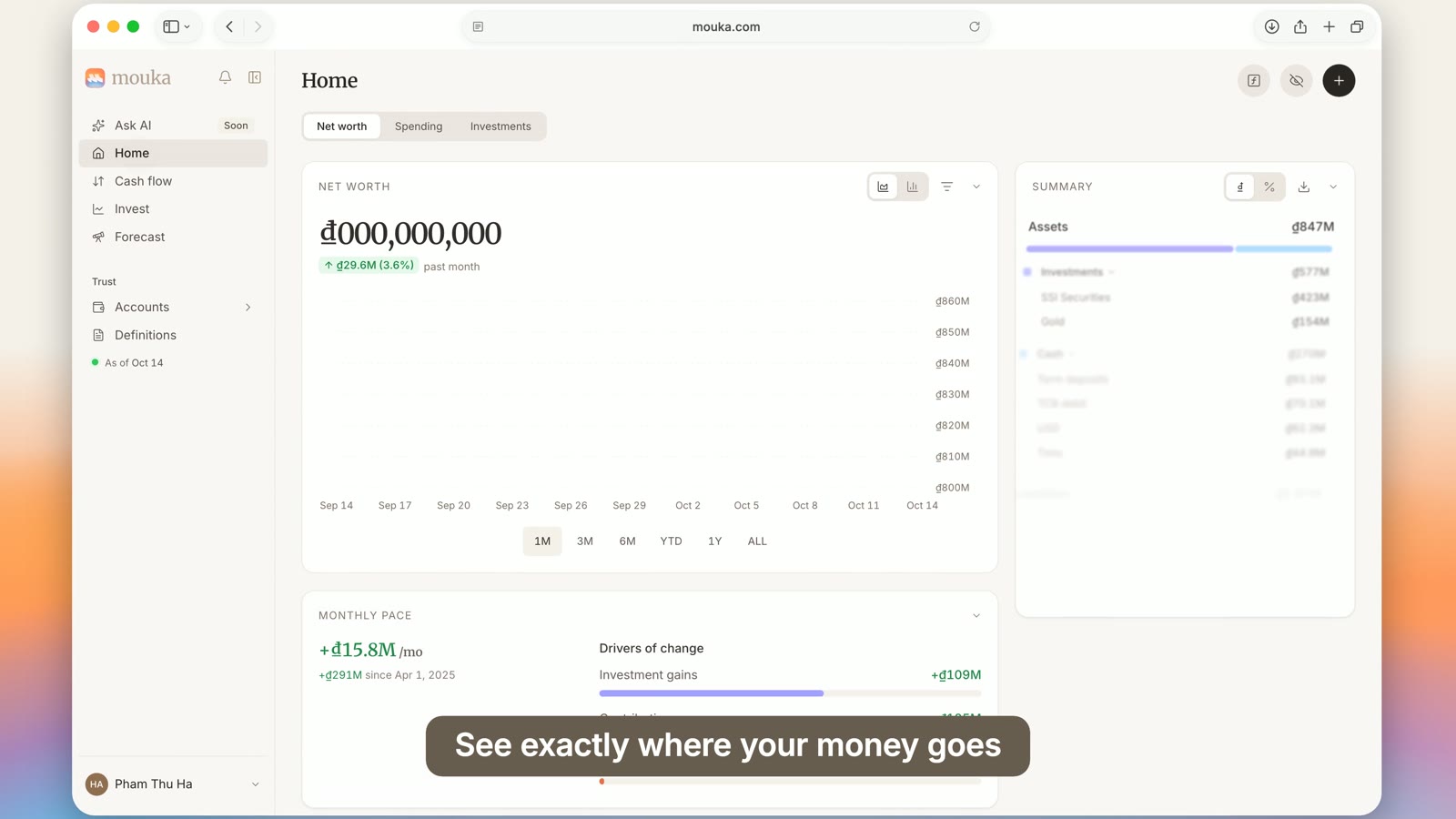
Personal finance · Personal tracker
Personal Finance Tracker
A personal finance tracking app
For Individuals tracking their own money
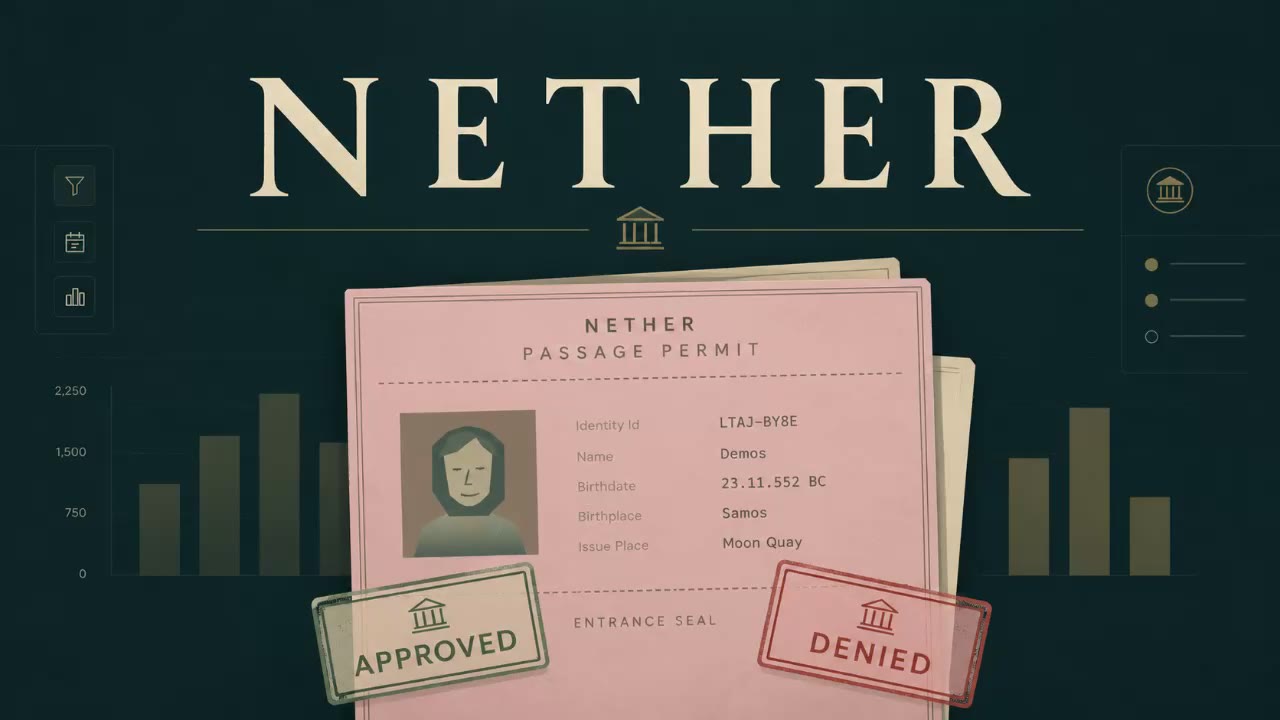
Just for fun · Investigation game
Data Detective Game
A detective game set in the Greek underworld
For Puzzle-game fans
How A Custom Data App Gets Built
With anfra, your data team defines metrics once in code, and a coding agent such as Claude Code builds the app on top of them
Read the data app guide (opens in a new tab)Install anfra
One command installs the CLI. anfra is open source and runs on your own machine or server.
curl -fsSL https://anfra.ai/install.sh | bashConnect Your Warehouse
Run anfra init, then add your warehouse to .anfra/data_sources.yml. PostgreSQL, BigQuery, Snowflake, Databricks, Redshift, ClickHouse and more are supported.
anfra init custom-biModel Your Data and Define Metrics
Each table becomes a model in models/, and metrics are defined once in code. Your team reviews every change like any other pull request.
models/orders.model.amlGive Your Coding Agent The Skills
anfra installs skills for Claude Code, Codex and Cursor, including build-data-app, so the agent knows how to query your metrics.
anfra skills installAsk For The App
Describe the app you want. The agent writes one HTML file in apps/ that queries your metrics through the anfra SDK, so it can't redefine them.
Use the build-data-app skill. Build a revenue overview with a monthly trend and revenue by region.Run It and Check The Numbers
anfra serve runs your apps at 127.0.0.1:7878. Open Inspect on any number to see the query and metric behind it.
anfra serve
When To Build A Data App, and When Not To
Most questions don't need a custom app. Build one when a team does the same job with the same data every week, and the off-the-shelf tools make that job slow.
Pick A Spreadsheet
- One person needs the answer, once
- The data fits in a file and nobody else edits it
- You're still working out what to measure
Pick A Dashboard
- Many people watch the same metrics
- Filters and drill-down cover every question they ask
- Your BI tool already has the data modeled
Pick A Data App
- A team repeats one job: plan, approve, triage, forecast
- The job needs inputs, what-ifs or a custom view, not only charts
- The numbers must match the official metrics every time
Don't Build A Data App When
- Nobody owns the metric definitions yet. Fix that first, or every app will disagree with the next.
- A dashboard in the BI tool you already pay for answers the question
- The job is mostly editing records in another system. That's an internal tool, with its own review.
- You'd be the only person maintaining it, and nobody asked for it
Building your own BI, or a whole internal analytics portal, follows the same rule: start with the one job a team repeats most, ship that app, and grow from there
Data App FAQ
- What is a data app?
A data app is an interactive application built on a company's data for one job, such as planning headcount, approving costs or finding at-risk customers. Unlike a dashboard, it can hold workflows, what-if inputs and actions, not only charts. In a governed data app, every number comes from shared, reviewed metric definitions.
- What is the difference between a data app and a dashboard?
A dashboard shows a fixed set of charts for people to watch. A data app is built around a job, so besides charts it can take inputs, run what-if scenarios, follow a workflow or draw a custom view such as a map or floor plan.
- What are some examples of data apps?
This page lists 32, including a customer conversion funnel builder, a headcount and hiring planner, a pricing and discount what-if simulator, a shipment ETA tracker, a project cost approval workflow and a KPI driver tree.
- What are data analytics applications?
Data analytics applications is a broader name for software that turns data into answers: BI tools, notebooks, dashboards and data apps. A data app is the narrowest of these, built for one team and one job.
- Can I build my own data app?
Yes. With anfra, which is open source, you connect your warehouse, define metrics in code, and ask a coding agent such as Claude Code to build the app. Every app queries the same metric definitions, so the numbers match across apps.
- What's the difference between BI tools and data apps?
A BI tool is one product for the whole company: dashboards, self-serve exploration, permissions and admin, shared by every team. A data app is built for one team and one job, with the screens and actions that job needs. The two can share one semantic layer, so a data app shows the same numbers as your BI dashboards. A set of data apps on that layer is, in effect, a custom BI tool. To build one step by step, read how to build a custom BI tool.
- Is the data in these examples real?
No. The examples run on sample or made-up data, and some are based on real companies with every record anonymized.