See where a page's numbers come from in the Lineage tab
The Lineage tab in the Inspect panel draws a canvas from a page's controls and blocks, through its queries and metrics, to the database tables.
Click a card to pin its path through the page: the block or query it belongs to is outlined on the page as well. Hide kinds of cards, pick a preset, or focus on one card's path to cut the canvas down.
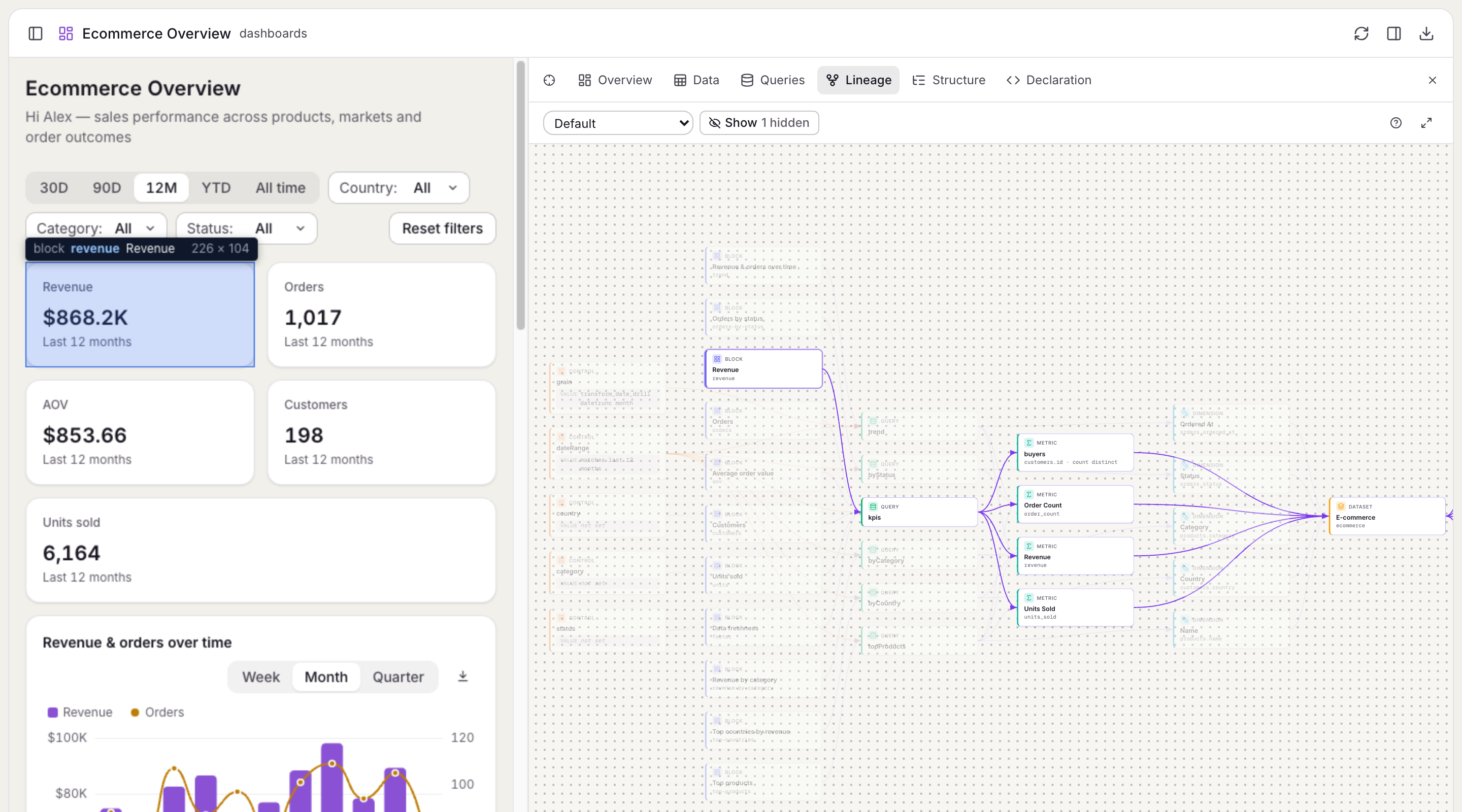
From the Queries and Data tabs, Show in Lineage opens a query's place in the graph.
Lineage reads the catalog that anfra ingest builds, so run anfra ingest after you change your AML, or it shows the old definitions.