See and revoke the tools that use anfra as you
Settings → Connections lists every tool you authorized, such as the CLI or an AI agent, and lets you revoke any of them.
Every tool that acts as you, such as the anfra CLI or an MCP client, asks you to approve it in the browser first, for one organization. Settings → Connections then lists each one with its organization, when you connected it and when it was last used.
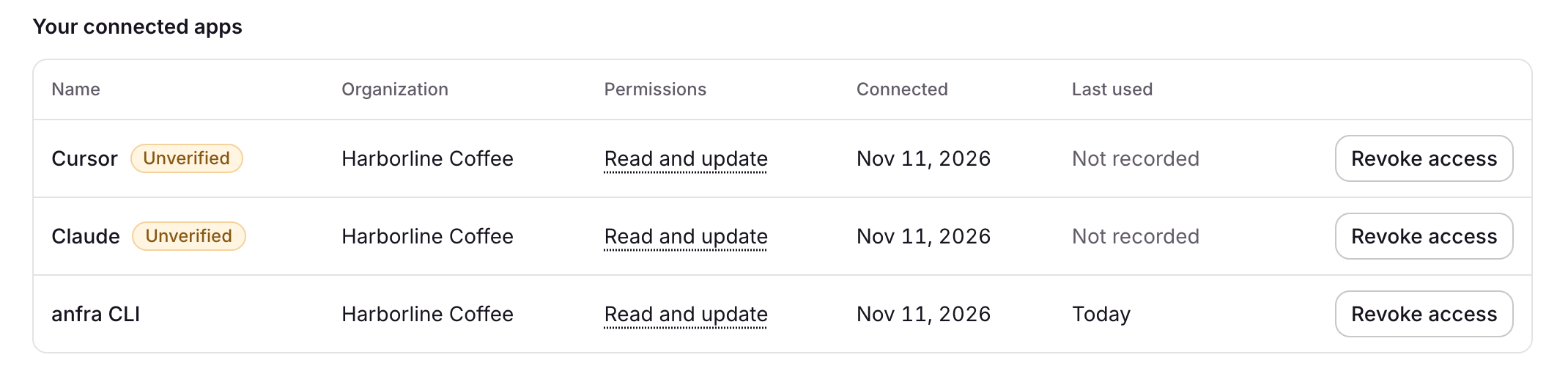
Choose Revoke access on a tool to cut it off at once. Other tools, and the same tool on another computer, stay connected. A tool anfra didn't verify is marked "Unverified".