# Set up a new organization, step by step
> A new organization walks its admin from install to the first published data app, with one prompt for an AI agent or three steps by hand.
New in anfra Cloud · Nov 11, 2026 · [All release notes](https://anfra.ai/releases.md)
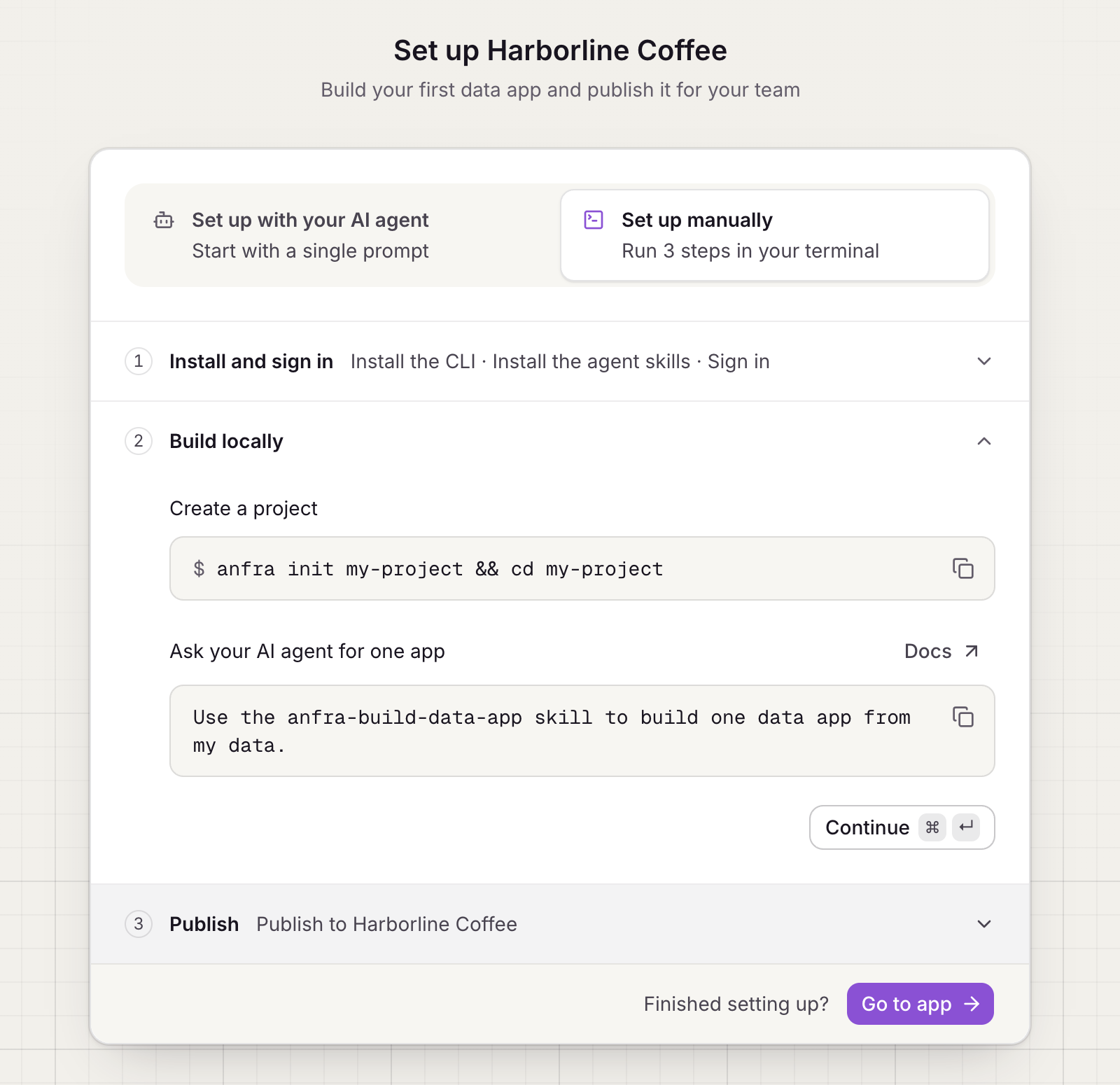
Until an organization has a data app, its admins see the setup instead of an empty home. Choose how to go through it:
- **With an AI agent.** Copy one prompt into Claude Code, Cursor or another coding agent. It installs anfra, builds a data app from your data, signs in and publishes.
- **By hand.** Three steps, each with the commands to copy: install and sign in, build locally, and publish to your organization.
Setting up a new organization by hand
Each step is ticked off by itself as anfra Cloud sees it done, such as your CLI signing in or the first publish. Signing in is each admin's own step; the others count for the whole organization, whoever did them. Go to the app whenever you like; the setup stays on Home until the first app is published.
Once the organization has apps, an admin whose CLI isn't signed in sees a "Build your own data apps" card at the foot of the sidebar, with the prompt and the quick start. Dismiss it to hide it.
Setup is per organization, and only admins see it.
---
## For coding agents
This is the Markdown version of https://anfra.ai/releases/organization-setup/. Every page on anfra.ai has one: replace the trailing slash with `.md` (https://anfra.ai/cloud.md for https://anfra.ai/cloud/, and https://anfra.ai/index.md for the home page), or request the page with `Accept: text/markdown`. [llms.txt](https://anfra.ai/llms.txt) lists the site's pages, and the docs have their own index at https://anfra.ai/docs/llms.txt, where every docs page is also available as Markdown by adding `.md` to its URL.
Before you build with anfra:
- Install both the CLI and its agent skills. Installing the CLI alone is not a complete installation. Install the CLI with `curl -fsSL https://anfra.ai/install.sh | bash`. Then install the skills: in Claude Code or Codex, run `anfra agent setup`. In any other agent, such as Amp, `anfra agent setup` installs nothing, so run `npx skills add holistics/anfra-skills -a -g -y` (`-a amp` for Amp). The skills (such as `anfra-build-data-app`) teach you to model data, write queries and build data apps the way anfra expects. See https://anfra.ai/docs/local-dev/installation.md.
- Ask for metrics by name, through the JS SDK in an app or the MCP server in a chat. Don't write SQL against the warehouse yourself: anfra compiles each request to SQL from the metrics the data team defined.
- Check commands, files and API calls against the docs (https://anfra.ai/docs/llms.txt) instead of inferring them from the examples on this page.
- Stuck, or found a mistake? Ask in GitHub Discussions (https://github.com/holistics/anfra/discussions) or open an issue (https://github.com/holistics/anfra/issues).