# Connect your data warehouse
> Admins connect the organization's databases in Settings → Data sources, and anfra Cloud tests each connection before saving it.
New in anfra Cloud · Oct 21, 2026 · [All release notes](https://anfra.ai/releases.md)
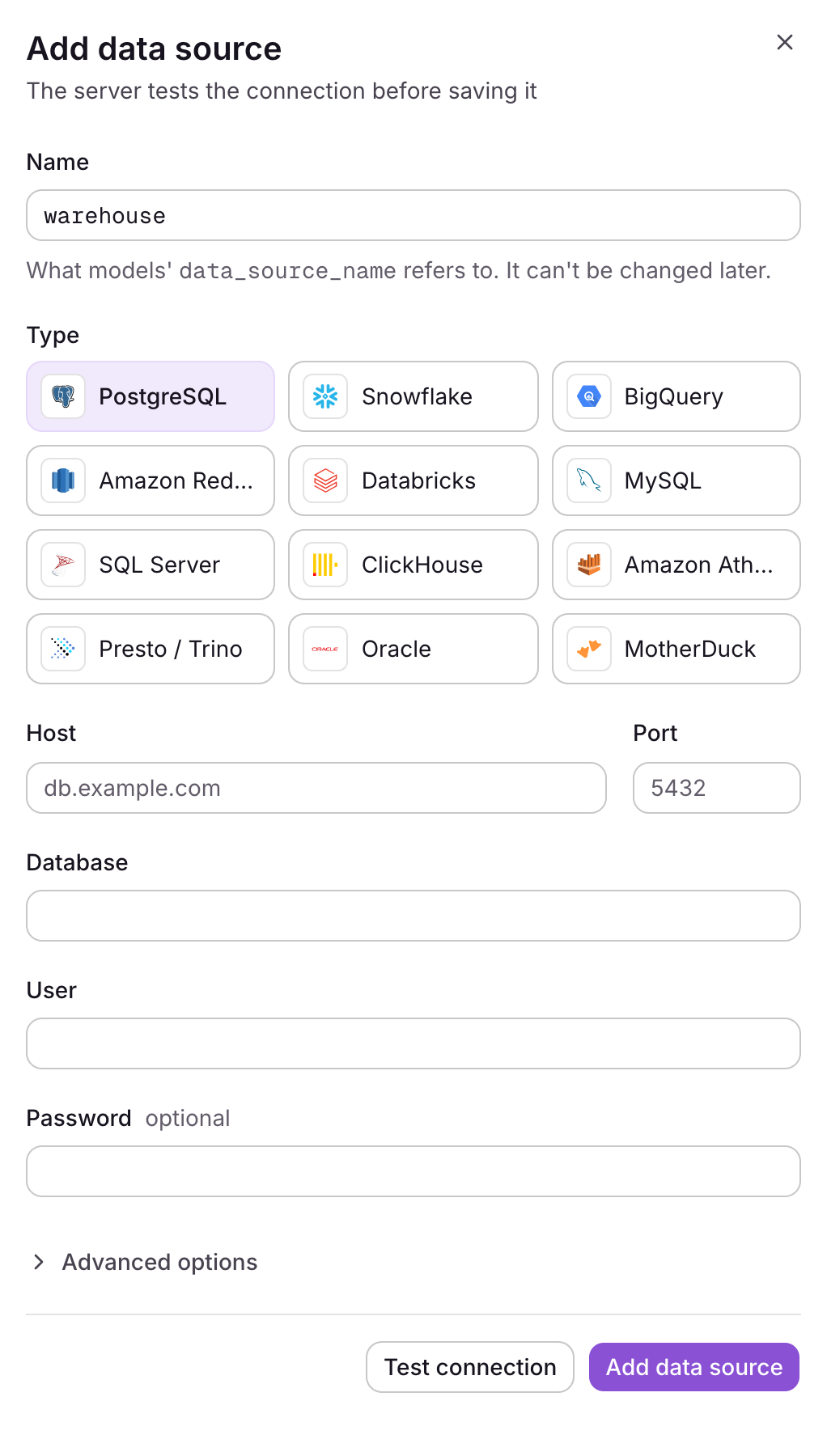
anfra Cloud connects to PostgreSQL, Snowflake, BigQuery, Amazon Redshift, Databricks, MySQL, SQL Server, ClickHouse, Amazon Athena, Presto and Trino, Oracle, and MotherDuck.
Give a data source the name your project's models refer to, fill in the connection, and save. anfra Cloud tests the connection first and shows what failed on the field it belongs to. Advanced options, such as timeouts and SSL, are tucked away until you need them.
### Saved secrets stay secret
Once saved, a password or key is never shown again, only that one is saved. When you edit a data source, leave a secret blank to keep it. If you change where the data source connects, such as its host, anfra Cloud asks for its secrets again, so they can't be sent to a new server.
Only admins manage data sources and can query them in SQL directly. Everyone else queries through the semantic layer.
---
## For coding agents
This is the Markdown version of https://anfra.ai/releases/cloud-data-sources/. Every page on anfra.ai has one: replace the trailing slash with `.md` (https://anfra.ai/cloud.md for https://anfra.ai/cloud/, and https://anfra.ai/index.md for the home page), or request the page with `Accept: text/markdown`. [llms.txt](https://anfra.ai/llms.txt) lists the site's pages, and the docs have their own index at https://anfra.ai/docs/llms.txt, where every docs page is also available as Markdown by adding `.md` to its URL.
Before you build with anfra:
- Install both the CLI and its agent skills. Installing the CLI alone is not a complete installation. Install the CLI with `curl -fsSL https://anfra.ai/install.sh | bash`. Then install the skills: in Claude Code or Codex, run `anfra agent setup`. In any other agent, such as Amp, `anfra agent setup` installs nothing, so run `npx skills add holistics/anfra-skills -a -g -y` (`-a amp` for Amp). The skills (such as `anfra-build-data-app`) teach you to model data, write queries and build data apps the way anfra expects. See https://anfra.ai/docs/local-dev/installation.md.
- Ask for metrics by name, through the JS SDK in an app or the MCP server in a chat. Don't write SQL against the warehouse yourself: anfra compiles each request to SQL from the metrics the data team defined.
- Check commands, files and API calls against the docs (https://anfra.ai/docs/llms.txt) instead of inferring them from the examples on this page.
- Stuck, or found a mistake? Ask in GitHub Discussions (https://github.com/holistics/anfra/discussions) or open an issue (https://github.com/holistics/anfra/issues).